Tour management module New
Set up the tour, open departures for sale, track operations
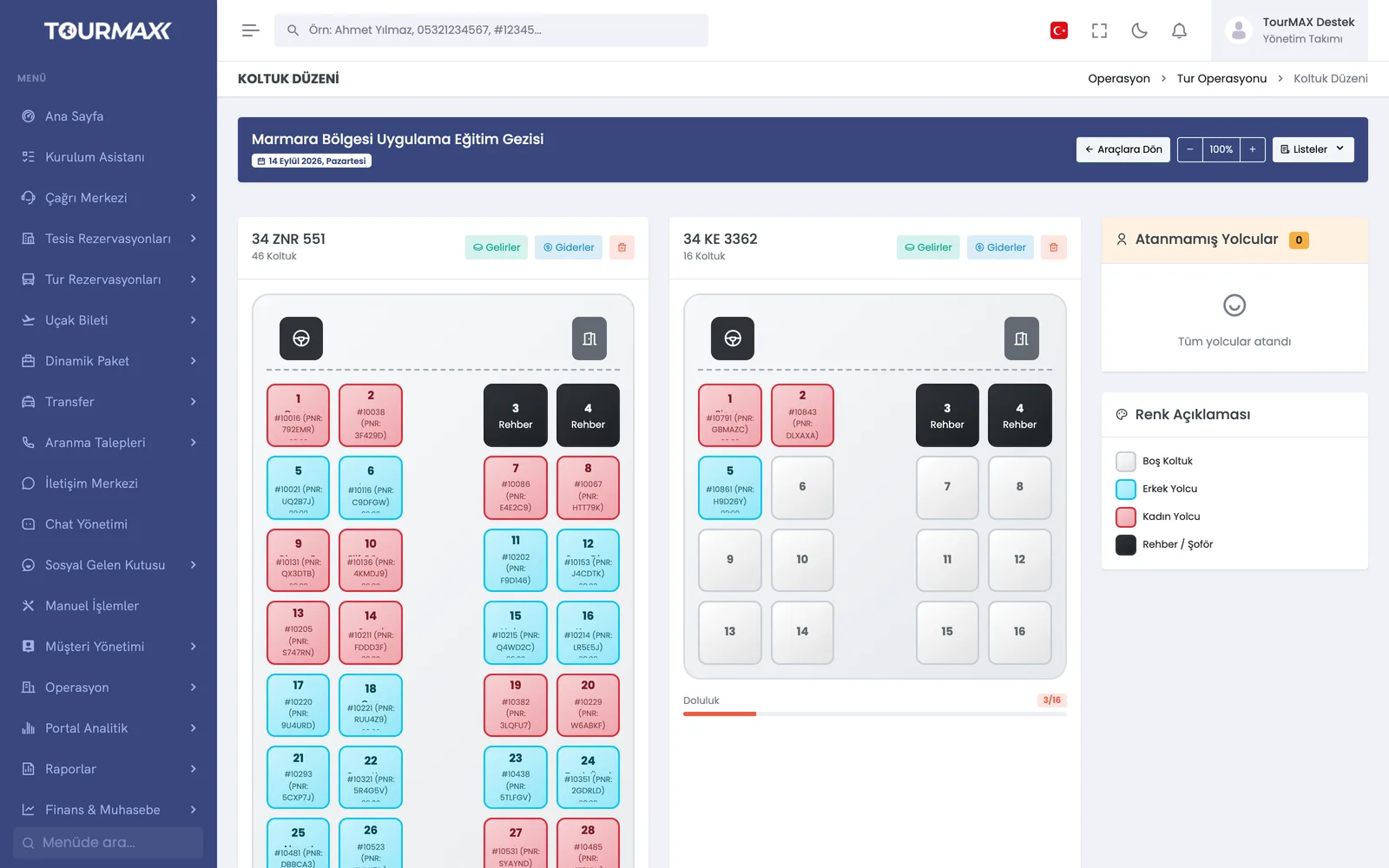
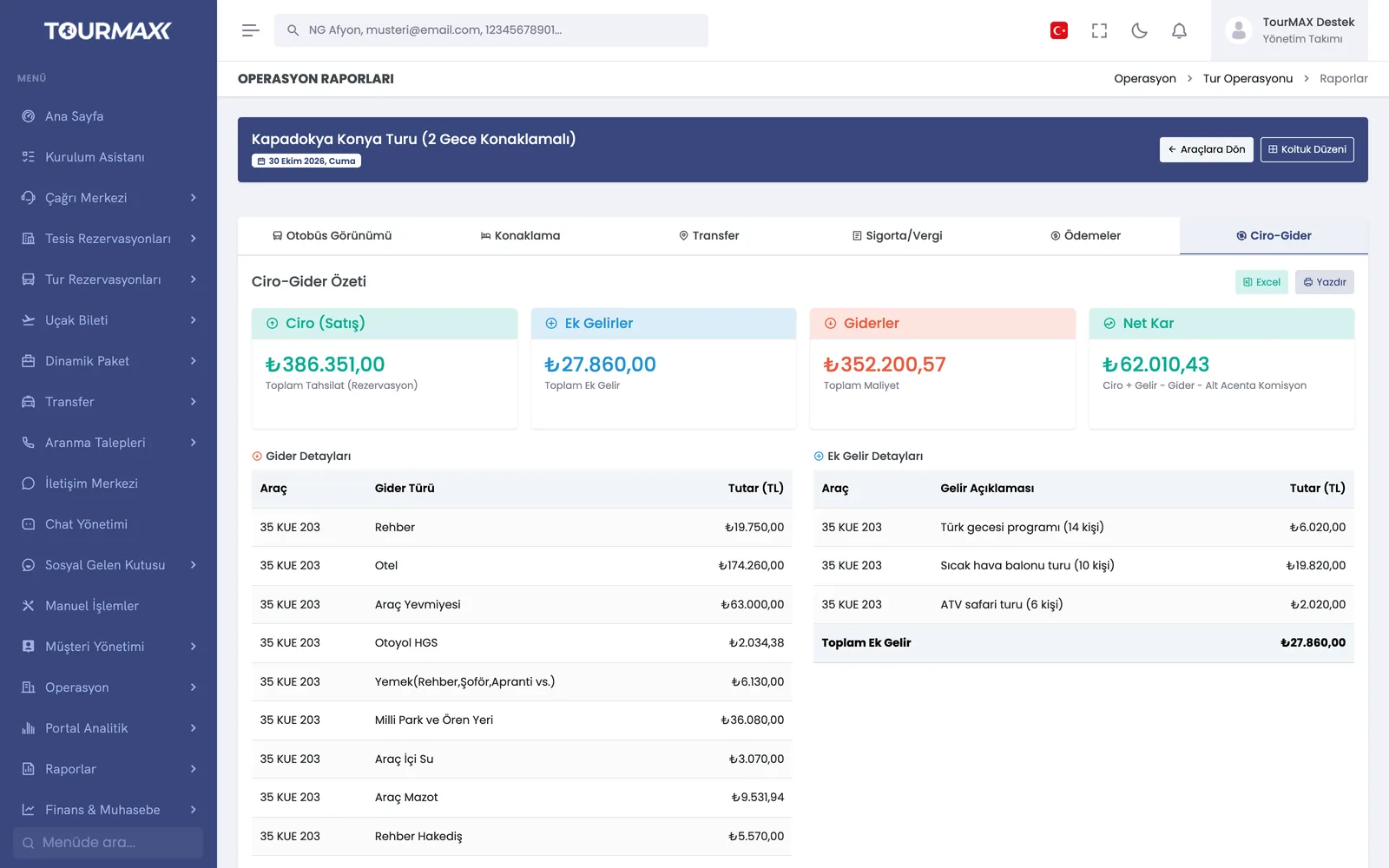
You enter departure dates, allotments and package prices on the Price & Date screen in list or calendar view. You place passengers in vehicles on a visual seat layout and follow the tour’s sales and operations details from sale to return in the operations report.
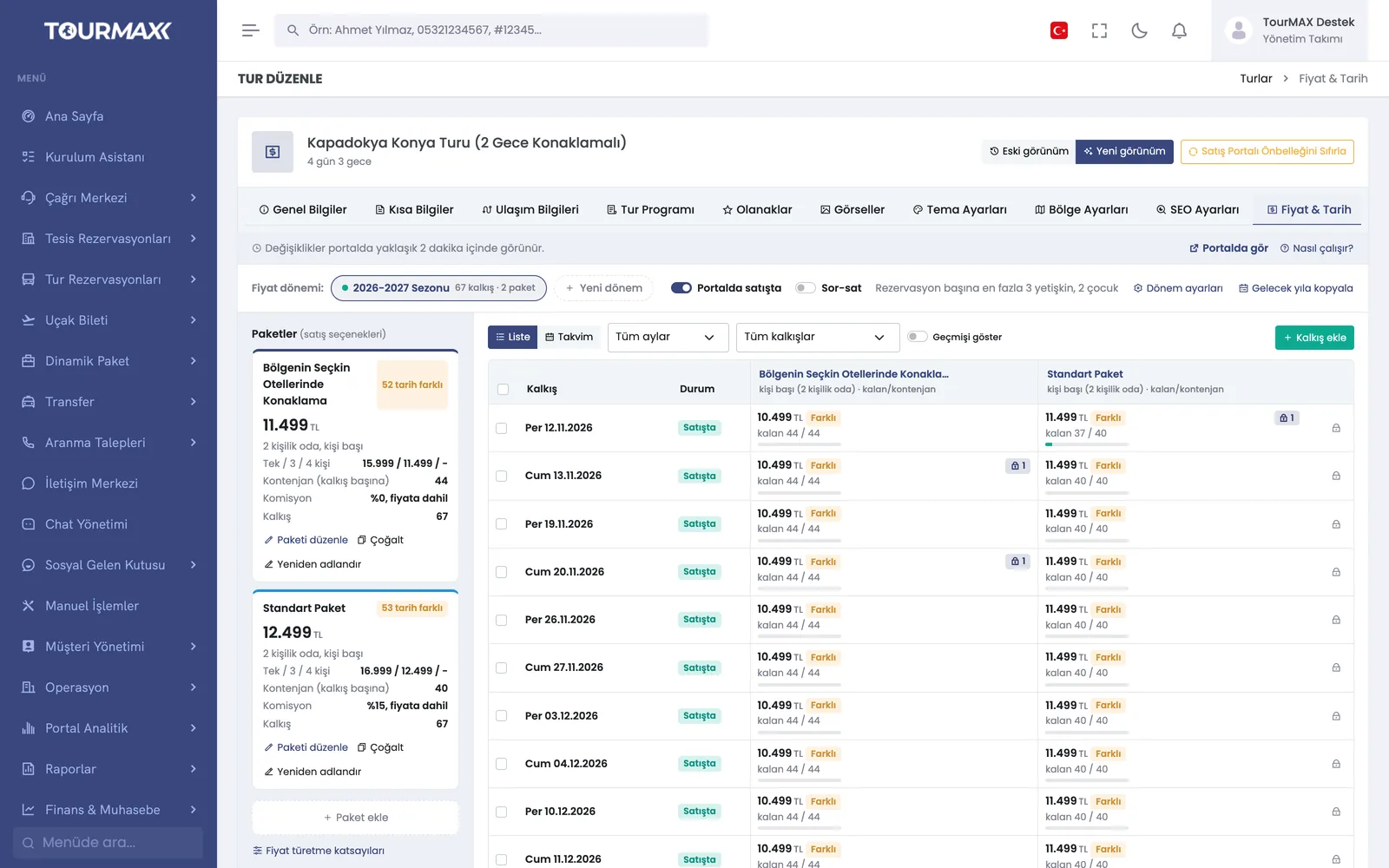 Real screensPrice & Date screen: packages, price per departure and remaining allotment
Highlights of the Tour Management module
Single or recurring departure dates and departure groups; 1-4 guests and 3 child prices per option; allotments and closing to sale (stop sale); list and calendar view. A price period is copied to next year with an optional percentage increase.
In the 11-tab wizard you enter the operator, 6 transport types, departure points, route map, itinerary, amenities, images and SEO. Last year’s tour is copied and its dates are updated.
Draft texts for day-by-day itineraries and short notes; reused across tours in the same region.
As seat occupancy rises, the price increases automatically; thresholds are set per tour.
Multiple vehicles per tour and departure; color-coded plan; assign, move and remove passengers; vehicle income and expenses in 4 currencies.
Occupancy rate and remaining allotment for upcoming departures; comparison of bookings, guests and allotment.
Coach, accommodation, transfers and boarding, insurance and taxes, payments, and revenue-versus-cost tabs; Excel and printing. Passenger lists are taken per departure.
Tours from WTatil, İstya and Yunanistan.com are sold from the same screen as your own tours; exchange rate and exchange difference lines for tours priced in foreign currency. When a booking on another operator’s tour is confirmed, the net amount payable to the operator is posted to its current account automatically. Payments collected by the guide during the tour are entered on the payment screen.
Step-by-step workflow
Enter the itinerary, amenities and images with the wizard, or copy last year’s tour.
Enter dates, allotments and package prices on the Price & Date screen.
Place passengers in seats; get the passenger list and operations report before departure.
Tour Management by plan
Items marked as add-ons can be added separately to lower plans; add-ons are billed monthly. You can find the plan comparison and add-on prices on the pricing page.