


Social Inbox module New
Turn WhatsApp, Instagram and Messenger messages into sales
WhatsApp, Instagram DM and Messenger messages, along with Instagram and Facebook comments, are gathered in one inbox and assigned to an agent. From the chat, the agent prepares a hotel or tour quote and sends the payment link and the booking document (voucher) from the chat window.
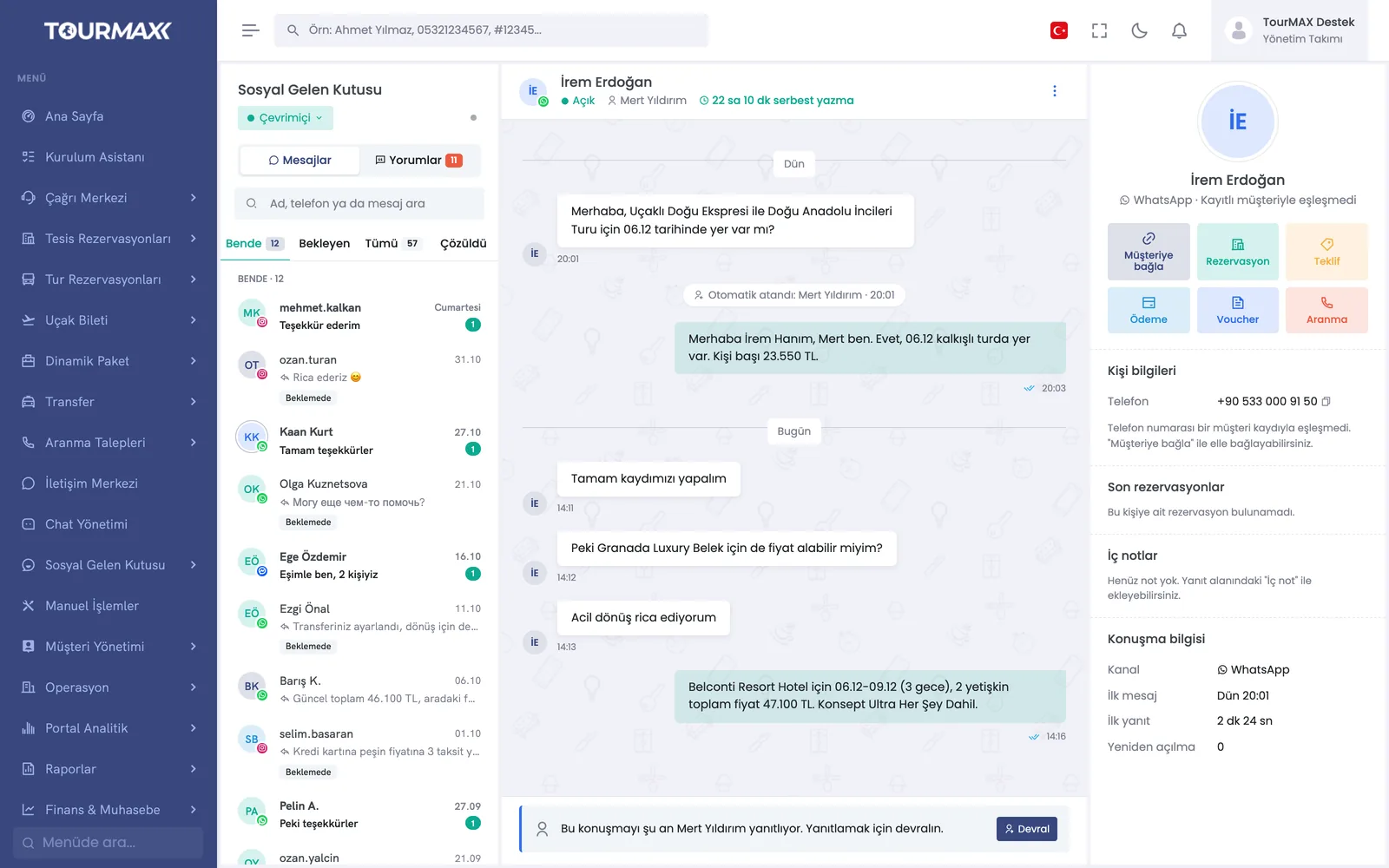 Real screensSocial Inbox: message and comment tabs, WhatsApp chat, quote, payment and voucher shortcuts
Highlights of the Social Inbox module
WhatsApp, Instagram DM and Messenger conversations are listed together with open, mine, unassigned and resolved statuses. Search, counters, media preview and file uploads are included.
A property or tour is searched, and the price quote is sent from within the chat. The quote list and booking conversion tracking are on the same screen.
Payment links, vouchers and document links are sent from the chat; open payments and sent documents are listed.
The chat is matched to the customer card, and a customer summary appears alongside. A callback request opened from the chat lands in the call center’s list.
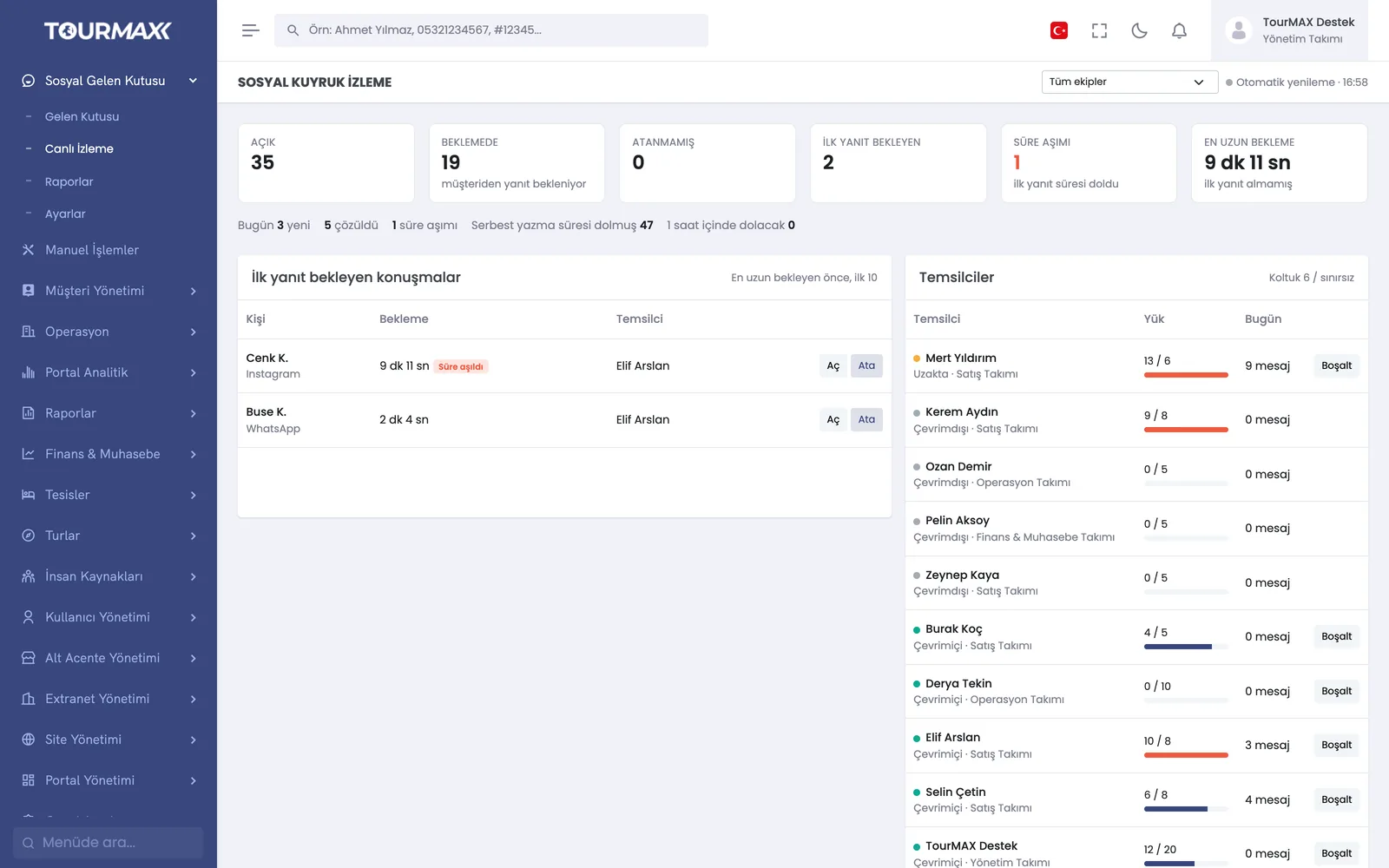
Taking over, releasing and transferring conversations to another agent; internal notes; team-based routing rules and response time (SLA) control.
Comments on Instagram and Facebook posts and Reels are listed. Replying, replying by private message, hiding, deleting and assigning to an agent are all done from the same place.
Quick sign-up with the WhatsApp Cloud API. With Coexistence, the same number is used both in the WhatsApp Business app on your phone and in the panel. Multiple numbers and brands can be connected.
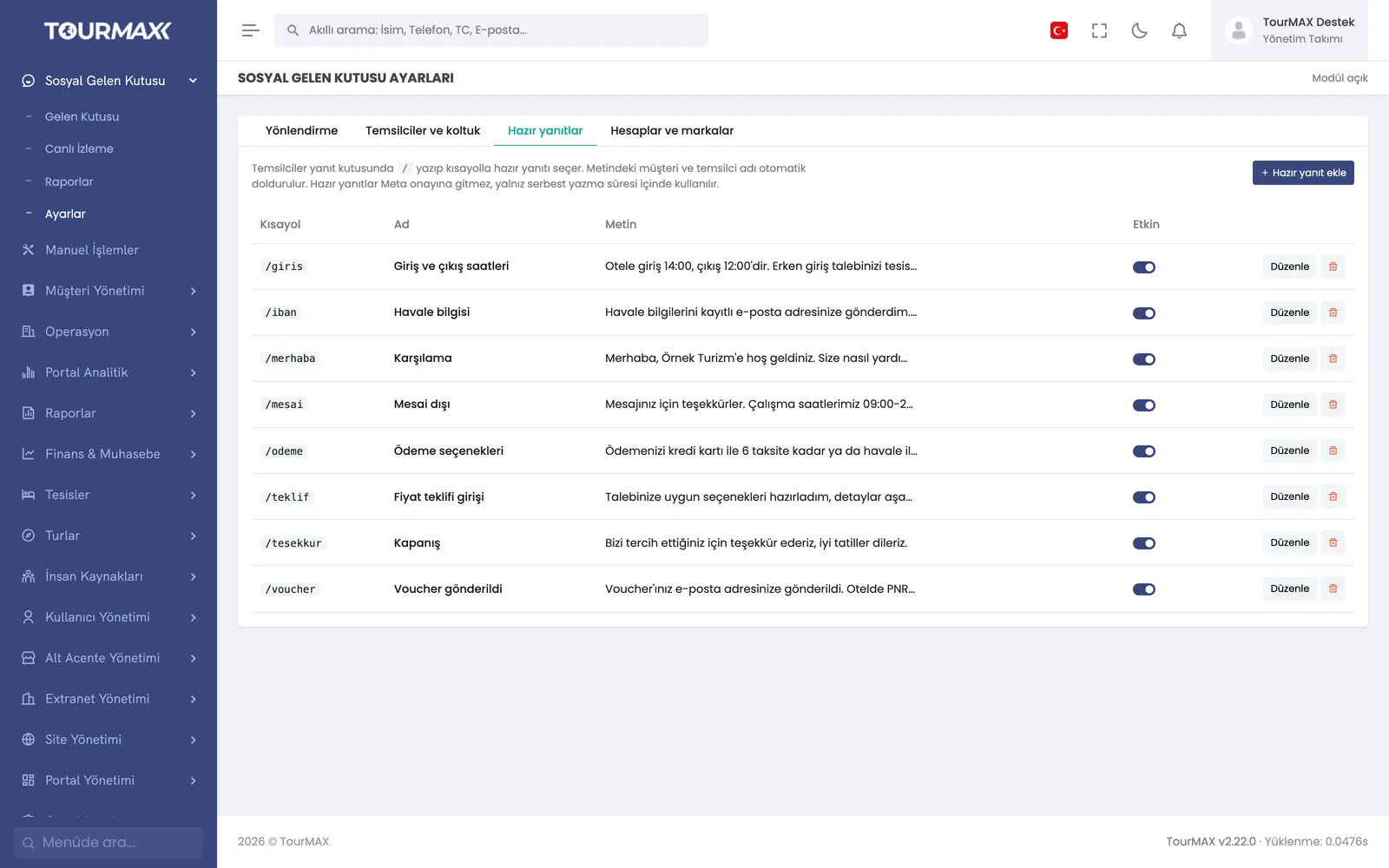
Tracking of the 24-hour reply window, Meta-approved templates, multilingual opt-out keywords and a 11-rule check before sending. Meta message fees are billed directly by Meta; TourMAX takes no intermediary markup.
Step-by-step workflow
Whatever the channel, it lands in the inbox; a routing rule assigns the conversation to the right team.
The agent searches for the hotel or tour and sends the quote and payment link from the chat.
The customer pays through the link, the agent sends the voucher link from the chat, and the conversion appears in the report.
Social Inbox by plan
Items marked as add-ons can be added separately to lower plans; add-ons are billed monthly. You can find the plan comparison and add-on prices on the pricing page.
Integrations this module uses


Frequently asked questions about the Social Inbox
Can we use our own WhatsApp number?
How do message fees work?
Which plan includes it?
Modules it works with
Call Center
A PBX inside TourMAX: know who is calling when the phone rings
Learn more →Customer Management
Track booking, payment and conversation history from the customer card
Learn more →Marketing
Contact data, demand map, campaign wizard and İYS (Turkey’s message consent registry) transfer
Learn more →