


Customer management module
Track booking, payment and conversation history from the customer card
A customer’s bookings, payments, call notes and communication consents are gathered on their card; if you use the Call Center or Social Inbox, calls and messages are also recorded on this card. Agents see the customer’s history directly on the card.
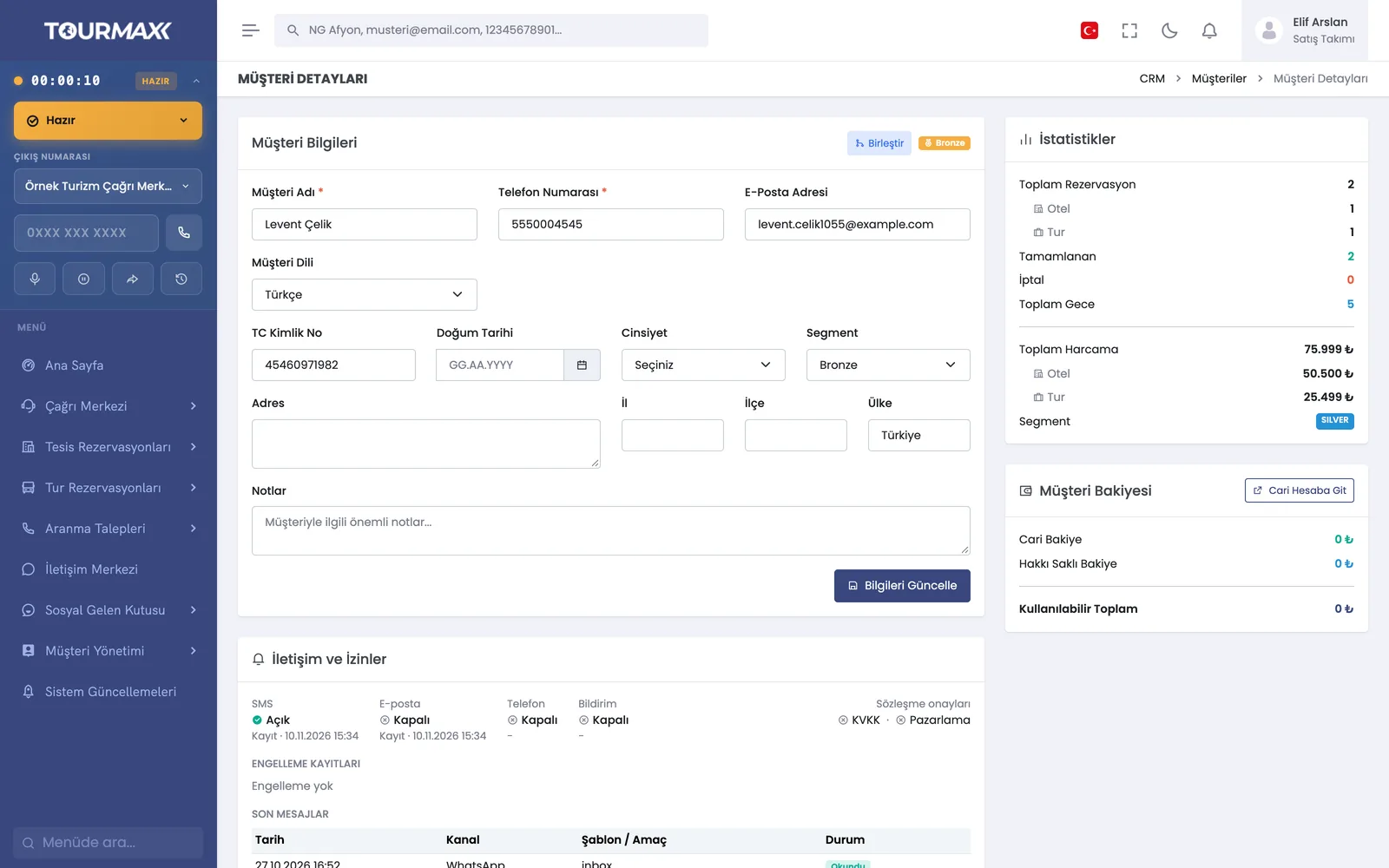 Real screensCustomer card: personal details, segment, booking and spending statistics, balance and communication consents
Highlights of the Customer Management module
Personal details, segment, current account balance and membership status; booking, payment, conversation, appointment and call history in tabs. Recent calls are listed with direction, line and duration; listening to recordings depends on permissions.
Customers are grouped into Bronze, Silver, Gold, Platinum and VIP segments based on their booking behavior; segments are reset once a year. Segments can also be changed manually.
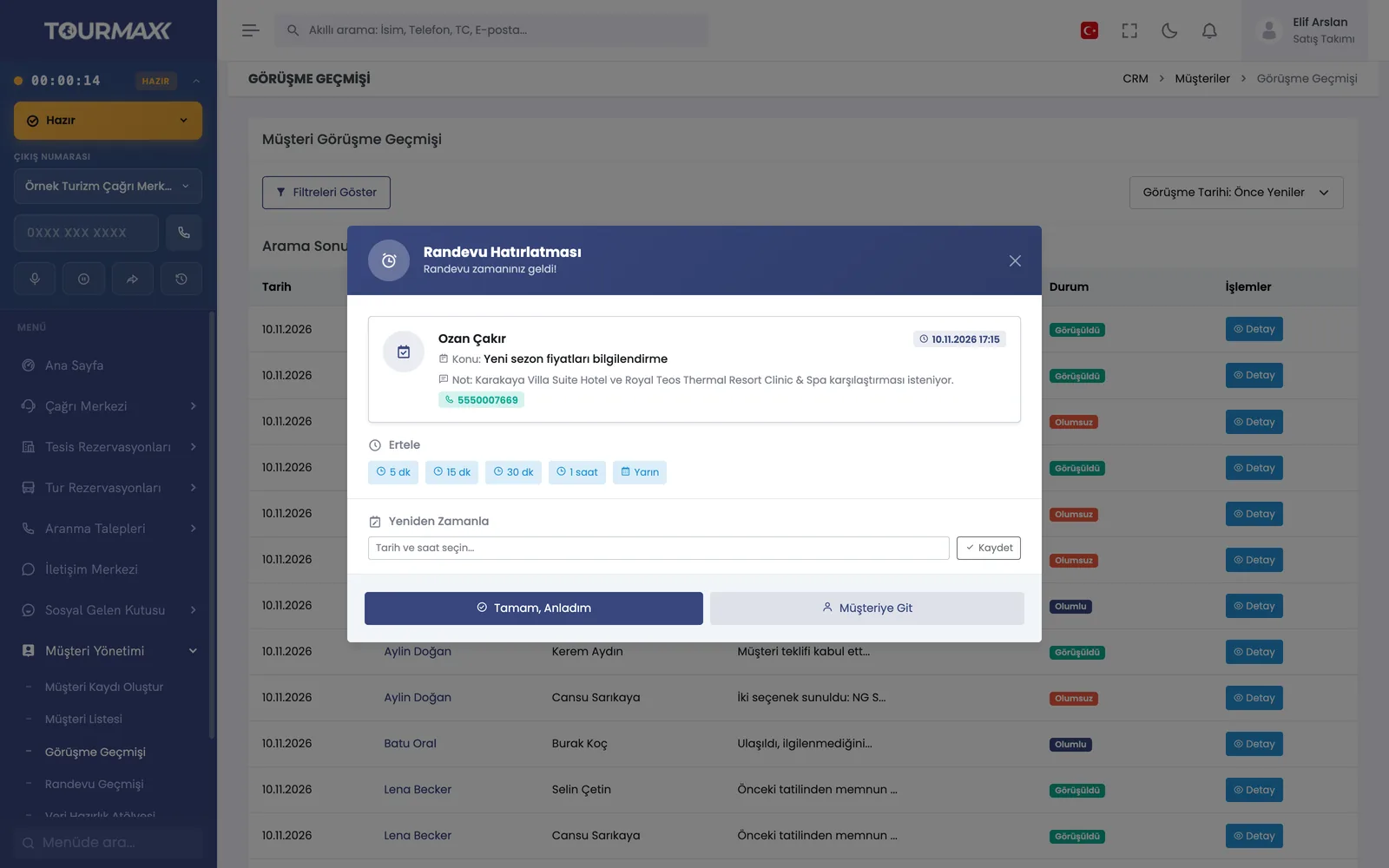
An appointment is created; when the time comes, a reminder window opens and can be snoozed or rescheduled.
Conversation records with outcome codes such as positive, negative and “price given, thinking it over”; history pages and filters.
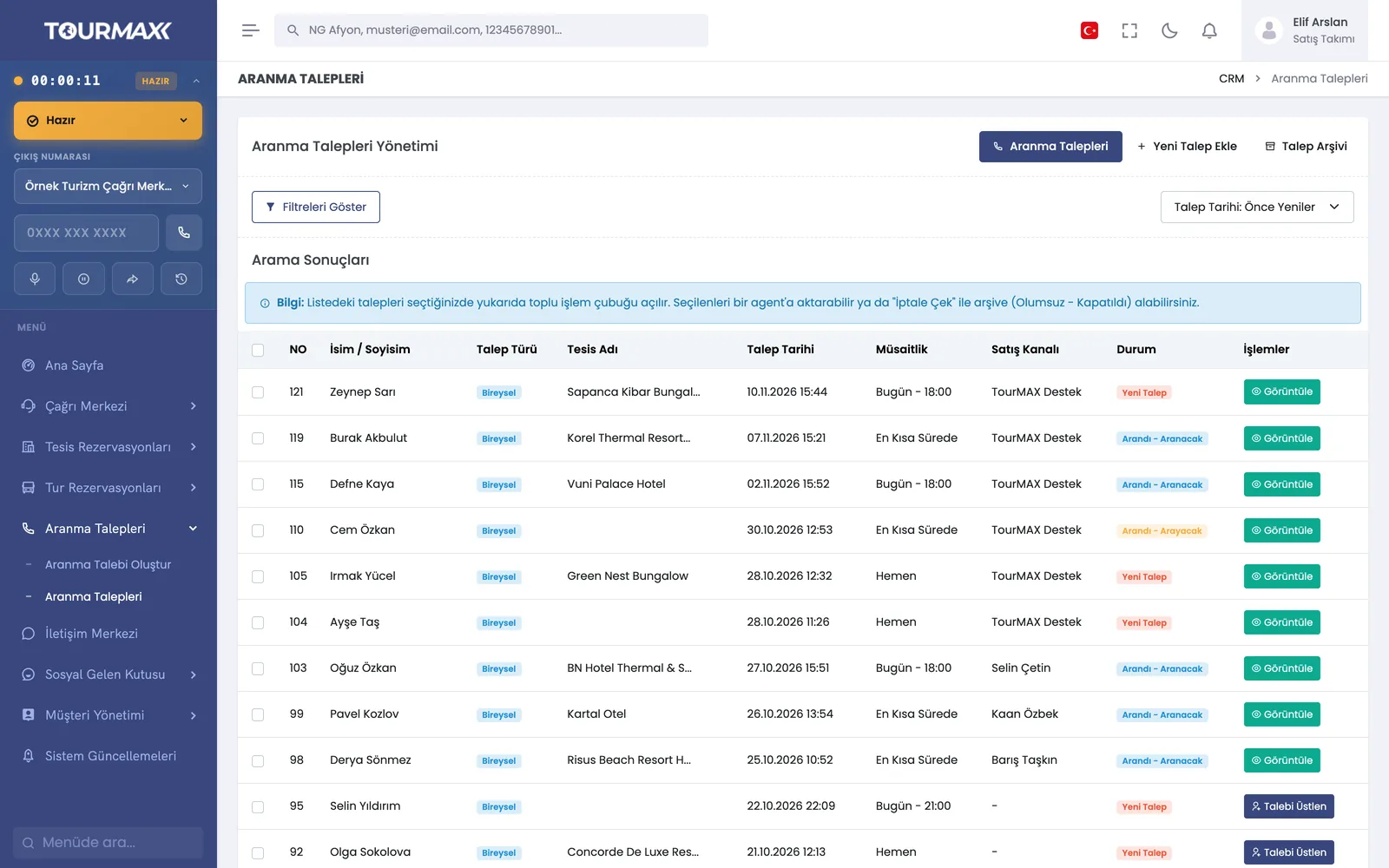
“Call me” requests from web forms and the call center are assigned to the right consultant based on availability. Corporate, group and individual request types, outcome codes, transfer and archive.
Duplicate records for the same person are detected and merged; deleted cards can be restored.
Opt-out records, recent messages and the WhatsApp Business source are shown on the card. The customer’s language is one of 5 options; messages and documents are sent in that language.
Segment, booking, room night and spending filters; 14 sort options; sending members a login link.
Step-by-step workflow
A contact arriving by phone, form or message is matched to the existing card; if there is no record, a new card is opened.
Notes, appointments and quotes are recorded on the card, and callback requests go to the right consultant.
When the appointment time comes, a reminder window opens; the segment is updated based on bookings.
Customer Management by plan
Items marked as add-ons can be added separately to lower plans; add-ons are billed monthly. You can find the plan comparison and add-on prices on the pricing page.


