


Solution: tour operators
Fill the departure, plan the seats, get the operations list ready
For operators running domestic and international tours. Departure dates, allotments and option prices are entered on the Price & Date screen. The seat layout, passenger list and operations report are ready on departure day, and your sub-agencies can sell your tours through the sub-agency portal.
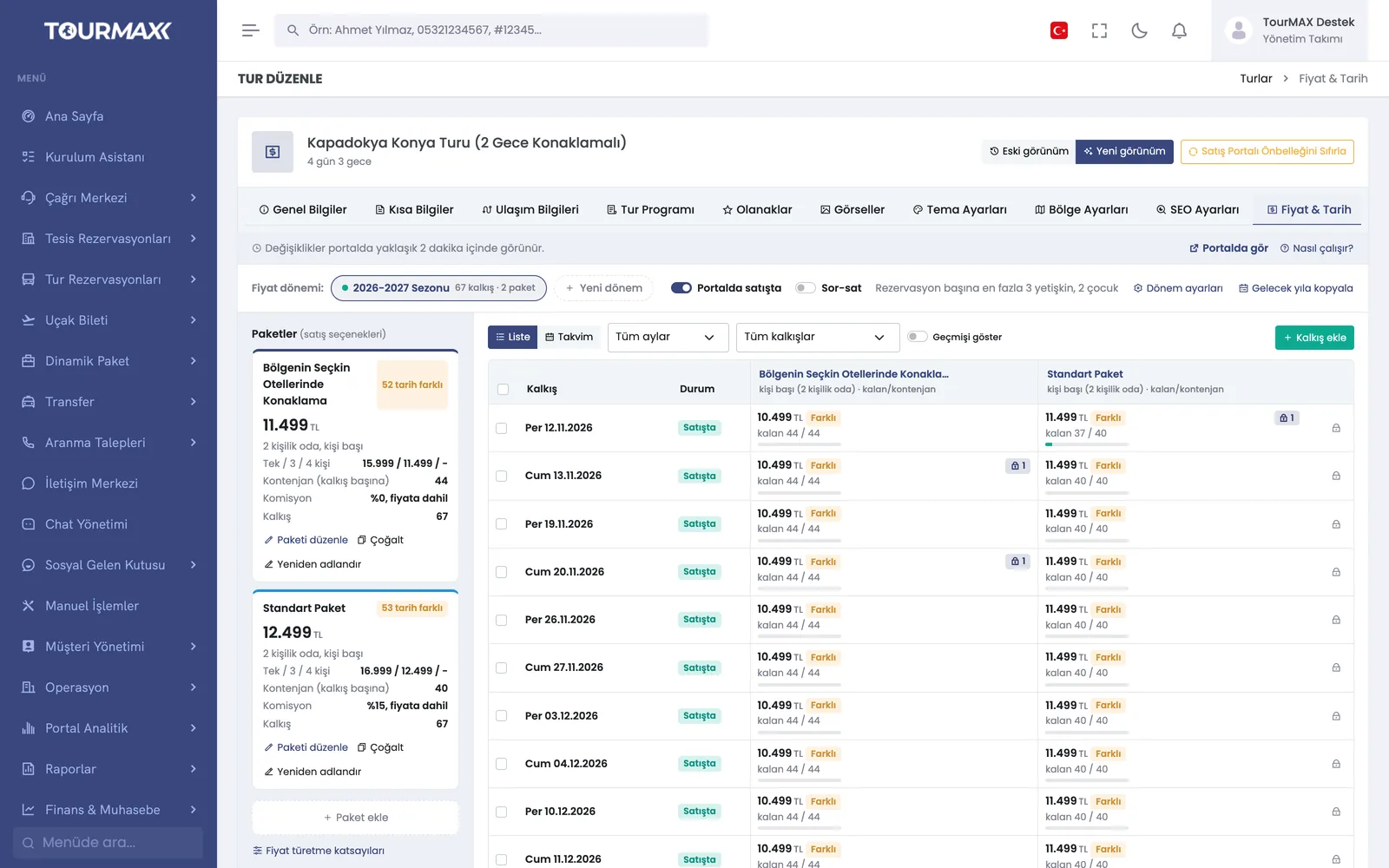 Real screensPrice & Date screen: prices and remaining allotment by departure
How things work today, and what changes with TourMAX
How many seats are left on which departure gets lost between Excel and the phone; the same seat can be sold twice.
The departure board shows the occupancy rate and remaining allotment in real time. Stop sales and allotment overruns are controlled by unit-level permissions.
Seat numbers are on paper and changes come by phone; the plan is rewritten before the coach leaves.
The visual seat layout is color-coded; passengers are assigned, moved or removed with a single click. More than one vehicle can be added to the same departure.
Hotel rooming lists, transfer lists and insurance lists are each produced separately.
The operations report consists of coach, accommodation, transfers and boarding, insurance and taxes, payments and profitability tabs. It can be exported to Excel or printed directly.
From tour setup to departure day
Enter the itinerary, amenities and images in the tour wizard. You can copy last year’s tour and update only the dates.
Enter single or recurring dates, allotments and option prices; 1-4 guests and 3 child prices are defined per option. As occupancy rises, the price increases automatically according to the thresholds you set.
Bookings from the call center, the booking website and the sub-agency portal all draw from the shared allotment. The booking voucher is sent in the customer’s language.
Before departure, check the seat layout, passenger list and operations report. After departure, you see revenue and costs in the profitability report.
Tour Management
Price & Date screen, tour wizard, itinerary drafts, seat layout and operations report.
Learn more →Booking and Sales
Tour bookings with departure points, options and group-based guest entry.
Learn more →B2B Sales Channels
Your sub-agencies sell through the sub-agency portal; commissions are calculated automatically and reconciliation is done on one screen.
Learn more →Reports and Dashboard
Profit and profitability columns in the sales report; sales analysis and the profitability report by departure.
Learn more →Commonly connected integrations





Tour management, the seat layout and the departure board are available on every plan. The sub-agency portal, the property portal (extranet), supplier tour connections and the departure profitability report are included from the Professional plan upward. Small operators that sell only tours can start with the Starter plan.
Compare plans