Accounting and finance module
Agency accounting: from collections to tax return preparation
Collections, current accounts, invoicing and banking run in the same module, and summaries you can pass to your accountant are prepared for each tax return period. Card payments are routed to the right POS according to bank rules you define by BIN number.
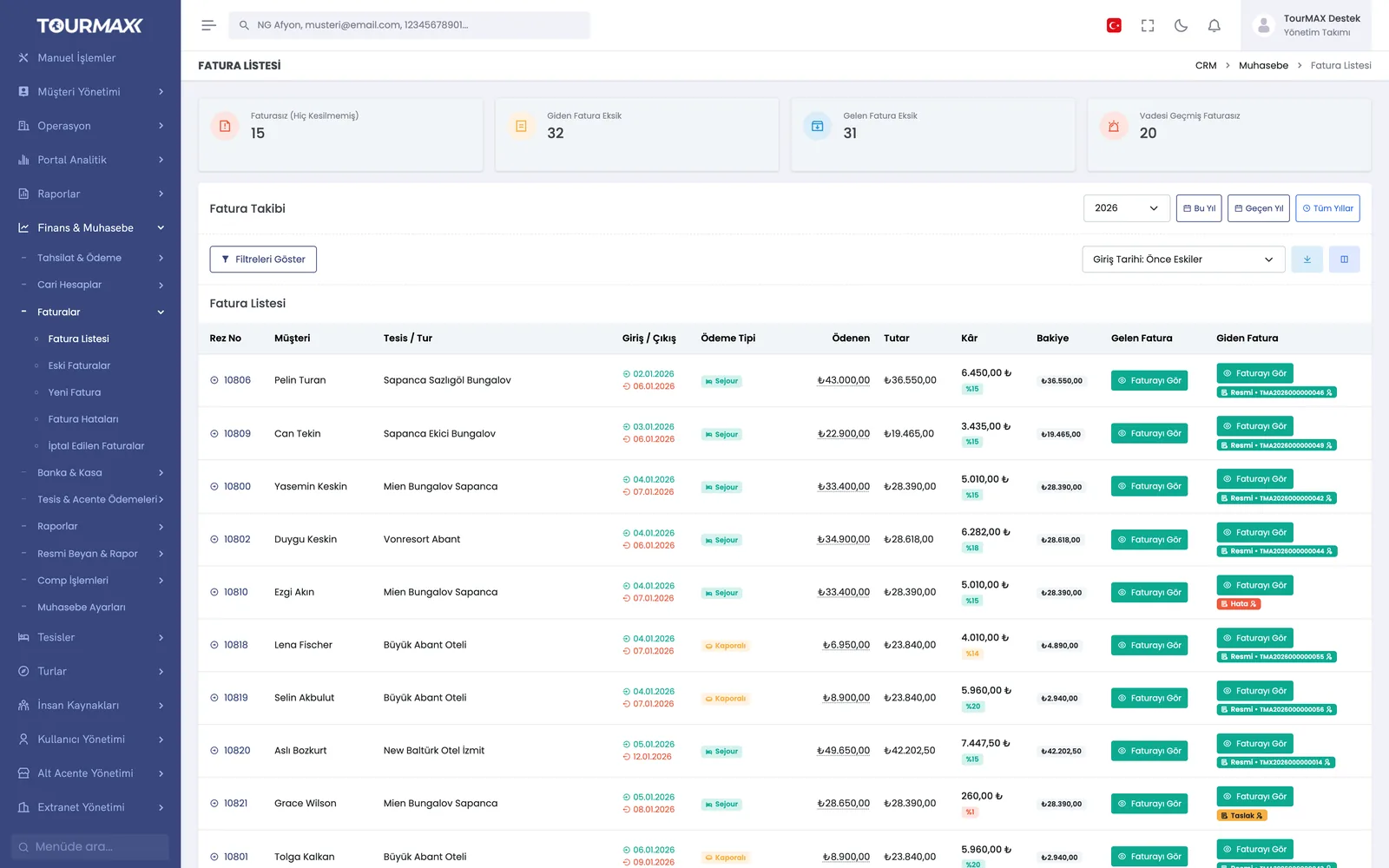 Real screensInvoice list: counters for uninvoiced bookings, missing outgoing and incoming invoices, and overdue uninvoiced bookings
Highlights of the Accounting and Finance module
7 payment methods and 1-12 installments; bank commission and installment surcharges are calculated automatically. Payment links are sent by email, WhatsApp or SMS (SMS from the Standard plan upward), and once payment is made, the list updates itself.
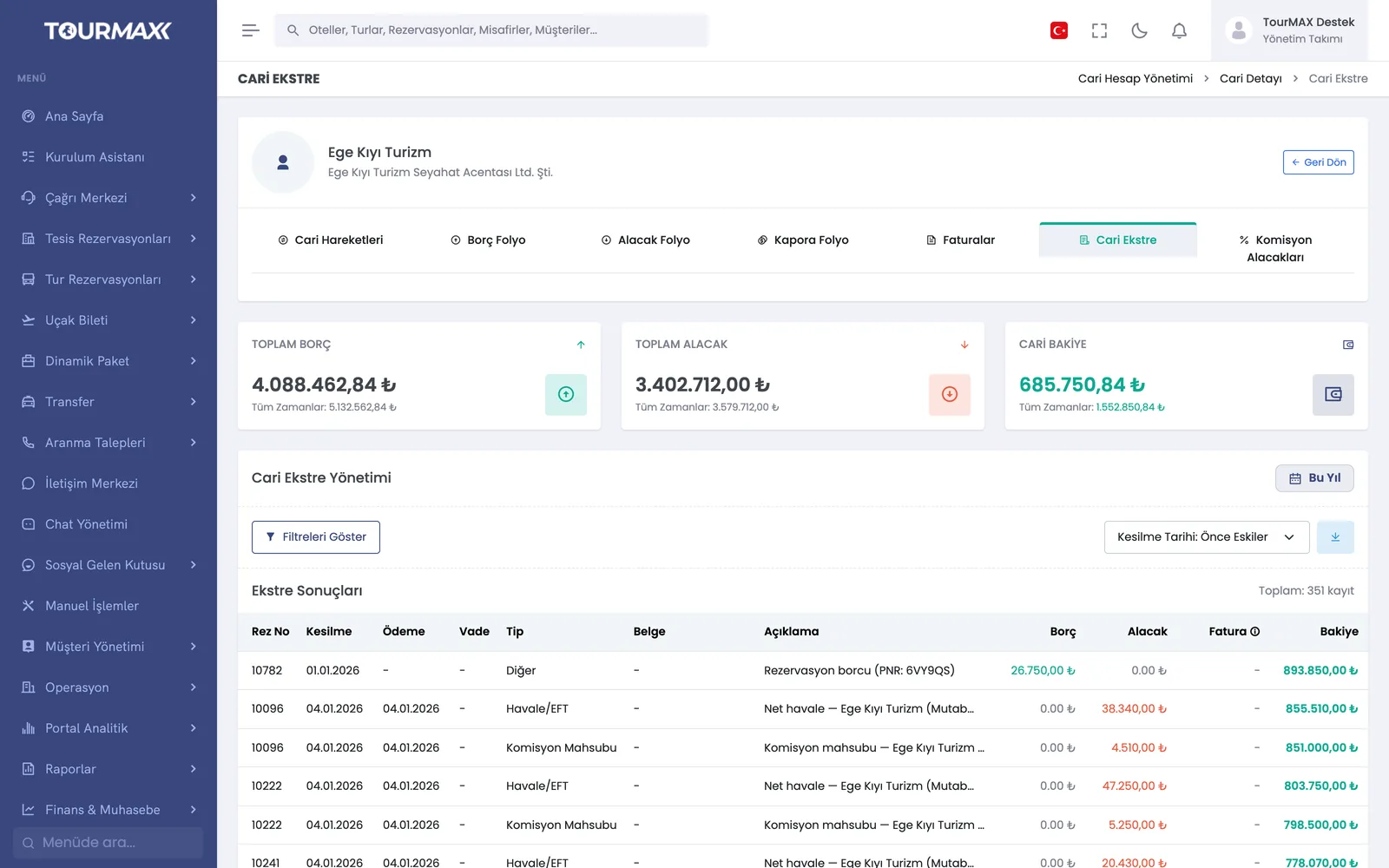
Individual and corporate current accounts, transactions, debit-credit and deposit folios, commission receivables. Current account aging in 0-30, 31-60, 61-90, 91-180 and over-180-day buckets.
An e-invoice or e-archive invoice (Turkey’s two electronic invoice types) is issued for bookings; the document type is chosen based on a taxpayer lookup of the recipient. Invoices are made official immediately, manually or on a schedule. Uyumsoft, Paraşüt and Innova as providers; XRechnung XML for Germany.
Classic receipt-book layout or modern A4; logo, German tax fields, multilingual notes and preview. 4 invoice types, 4 tax regimes, withholding VAT, withholding tax and accommodation tax.
Each card is routed to the right POS according to bank rules you define by BIN number. POS rate sync, offset and transfer suggestions; bank and POS commission analysis.
6 types of periodic or agreement-based terms, bulk “paid” marking and automatic posting to the current account statement. Public holidays are synced with Google Calendar.
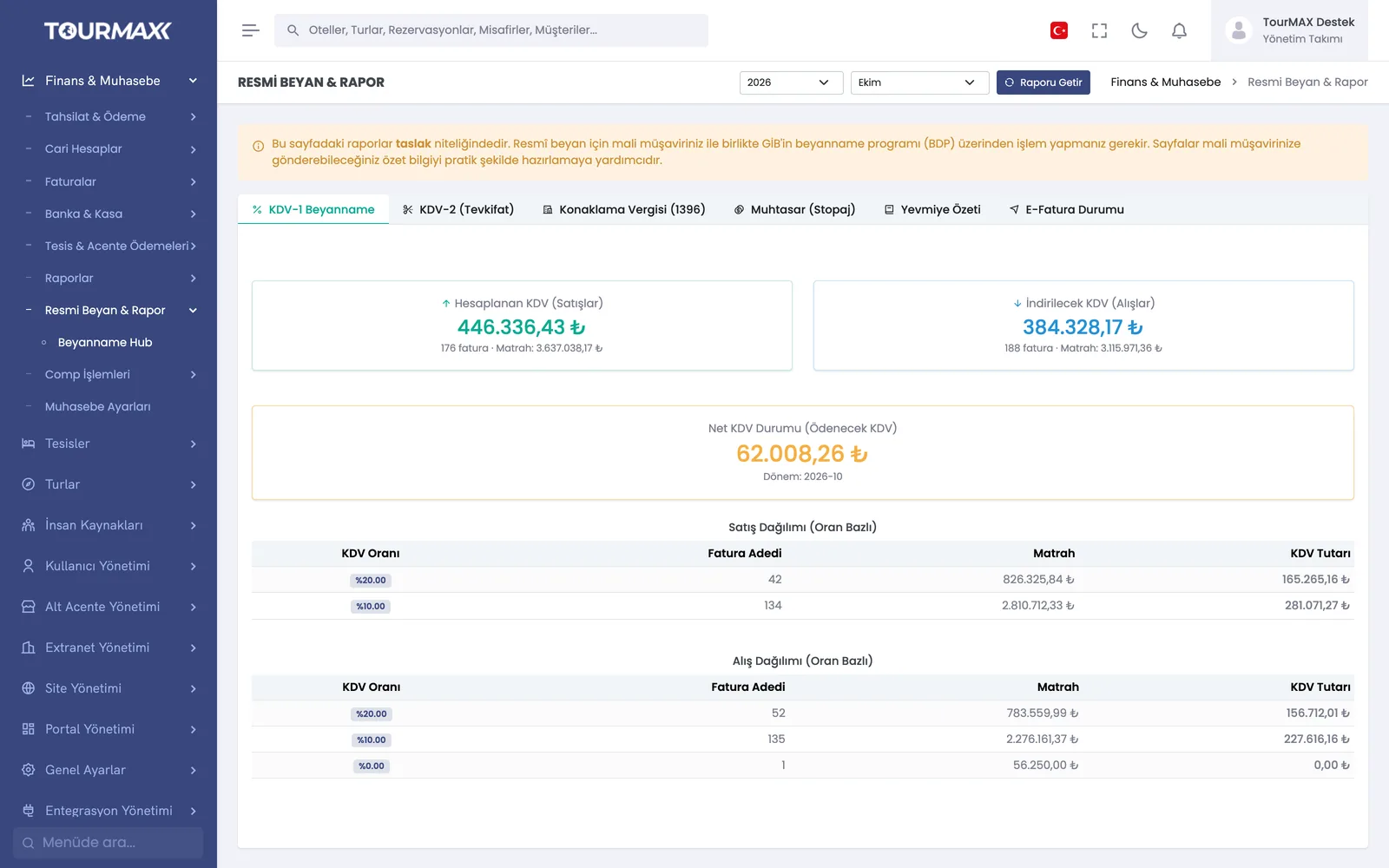
On the Official Declaration & Report screen, summaries for the KDV-1 VAT return, KDV-2 (withholding VAT), accommodation tax, muhtasar and withholding tax, plus a journal summary, are prepared for each period. You pass these summaries to your accountant, and the returns are filed together with your accountant through the tax return software of GİB (Turkish Revenue Administration).
Uninvoiced bookings, bookings with a margin below the threshold and bookings with incomplete collections are listed. The 3 types of discrepancies in the reconciliation report are fixed one by one or in bulk.
Step-by-step workflow
Take booking payments by card, bank transfer or from the current account, and send the payment receipt to the customer.
Send the invoice, pre-filled with the booking details, to the e-invoice provider with one click.
Check the current account statement and property payments, and pass the tax return summaries to your accountant.
Accounting and Finance by plan
Items marked as add-ons can be added separately to lower plans; add-ons are billed monthly. You can find the plan comparison and add-on prices on the pricing page.