Booking and sales module
Manage hotel and tour sales from booking to property confirmation
When you enter the property or tour, dates and guest details, the price is calculated; you save the booking and move on to payment. The property confirmation request and the booking document (voucher) are sent from the same screen. The customer is matched to their card by phone number, and if there is no record, a new card is opened.
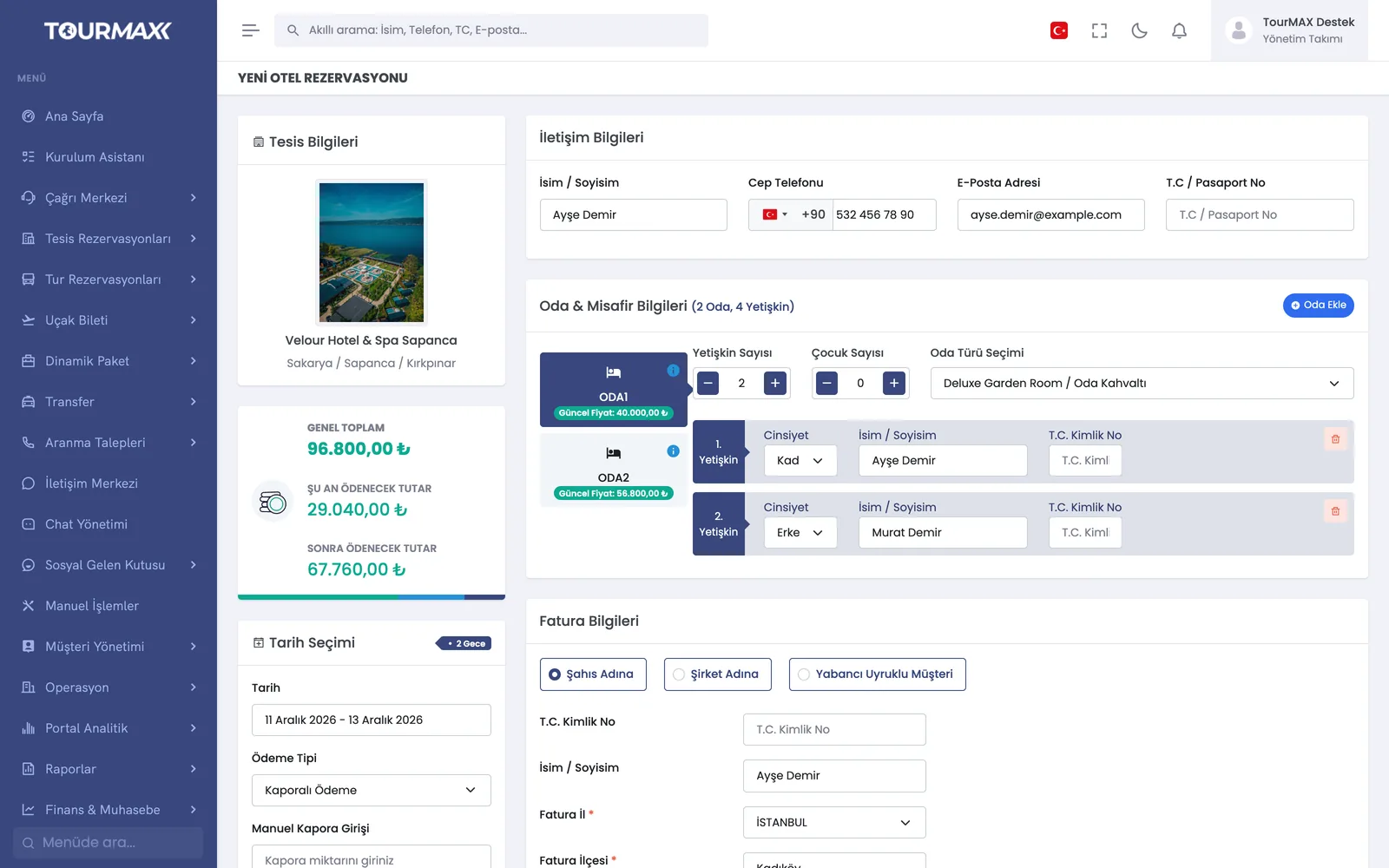 Real screensNew hotel booking: room and guest details, payment type and amounts
Highlights of the Booking and Sales module
Hotel and tour bookings are opened in a shared flow; if your plan includes them, flights, transfers and dynamic packages are added to this flow too. For multi-room and group bookings, the number of adults and children is entered separately for each room.
Full payment, deposit, pay at the hotel or on the tour, and on-request bookings (sales where availability is first checked with the property). When a discount or surcharge is applied to a deposit booking, a decision window opens before saving, so the difference is applied to the right item.
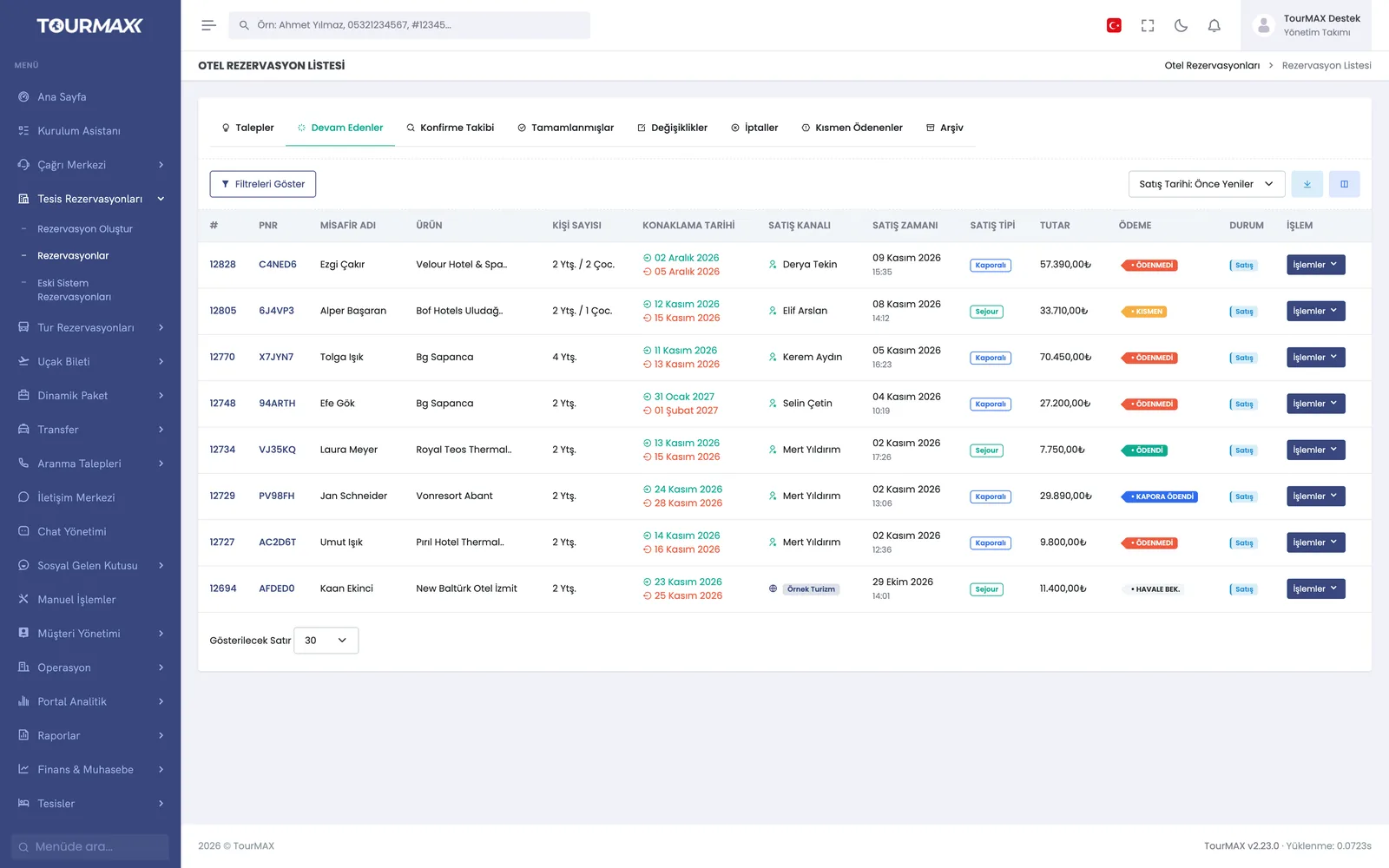
Bookings are tracked in 8 tabs: requests, in progress, confirmation tracking, completed, changes, cancellations, partially paid and archive. There are sales channel, site, sub-agency, agent and date filters, 14 sort options and Excel export.
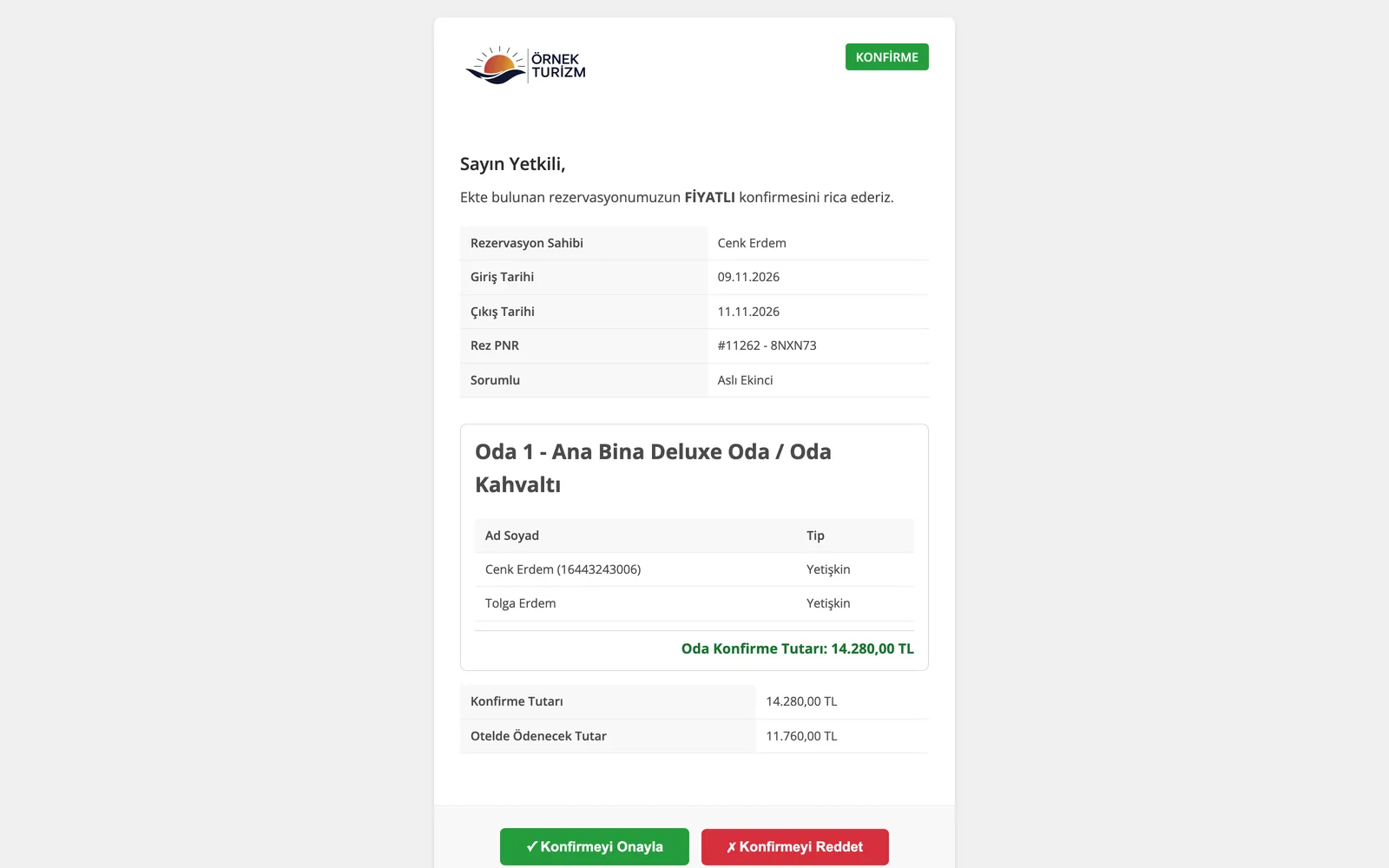
A confirmation request with the net amount is sent to the property by email, WhatsApp or SMS (SMS from the Standard plan upward). The front desk opens the secure link and confirms or rejects the request without logging in. 4 types of confirmation documents are ready.
The voucher and participation document are prepared in 5 languages and emailed to the customer; depending on your sending settings, an information message also goes out by WhatsApp or SMS. You can also send the customer free-form emails and SMS from the booking screen. SMS sending is available from the Standard plan upward.
Each booking is tracked with one of 7 statuses. 11 standard cancellation reasons, such as no-show, overbooking and payment dispute, are counted consistently in reports. Status changes are saved before notifications go out, so nothing is lost even if you leave the page.
Can-sell, can-update and can-add-room permissions are defined separately for the sales, operations and management units. Unit-based permission to sell beyond the allotment can be granted.
Bookings migrated from your previous software stay read-only on a separate archive screen, and old records are accessible from the panel. We check the migrated records together with your team before go-live.
Step-by-step workflow
Enter the room and guest mix; prices, child discounts and promotions are calculated automatically.
Via virtual POS, bank transfer, mail order, cash or current account. 1-12 installments, bank commission and installment surcharges are calculated automatically.
A confirmation request goes to the property, and a voucher in their own language goes to the customer. You track every step from the booking list.
Booking and Sales by plan
Items marked as add-ons can be added separately to lower plans; add-ons are billed monthly. You can find the plan comparison and add-on prices on the pricing page.