Call center module
A PBX inside TourMAX: know who is calling when the phone rings
Your cloud PBX connects to TourMAX, and the agent panel is visible on every page. When a call comes in, the calling customer and their latest booking appear on screen. The live monitoring screen (wallboard), queue rules, call recordings and missed call tracking are managed without logging in to a separate PBX panel.
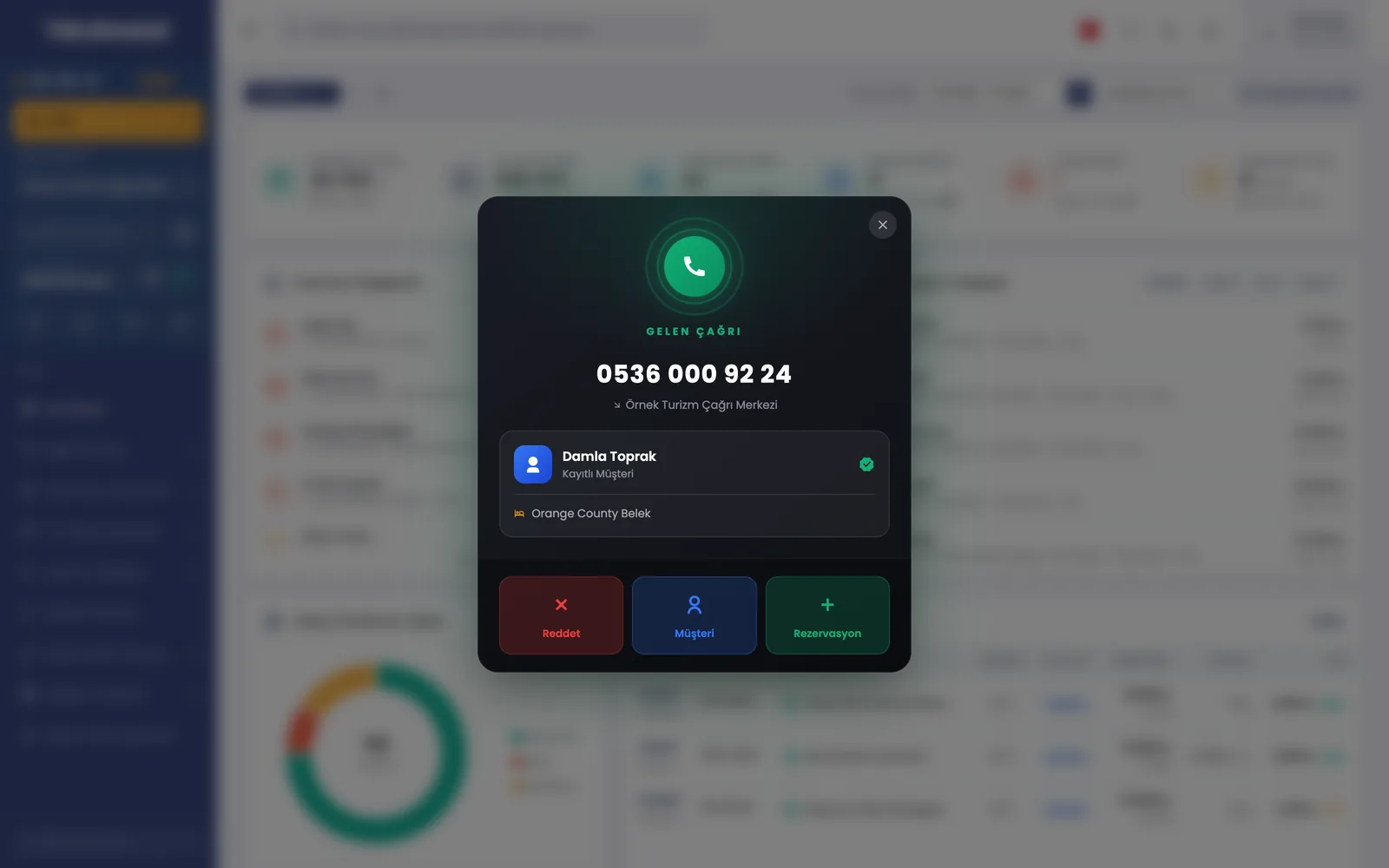 Real screensIncoming call window: the registered customer calling and the hotel of their latest booking
Highlights of the Call Center module
Ready, break, meeting and offline statuses, dialing, incoming call window and customer card. Outbound line selection, blind or attended transfer, hold and an after-call work timer.
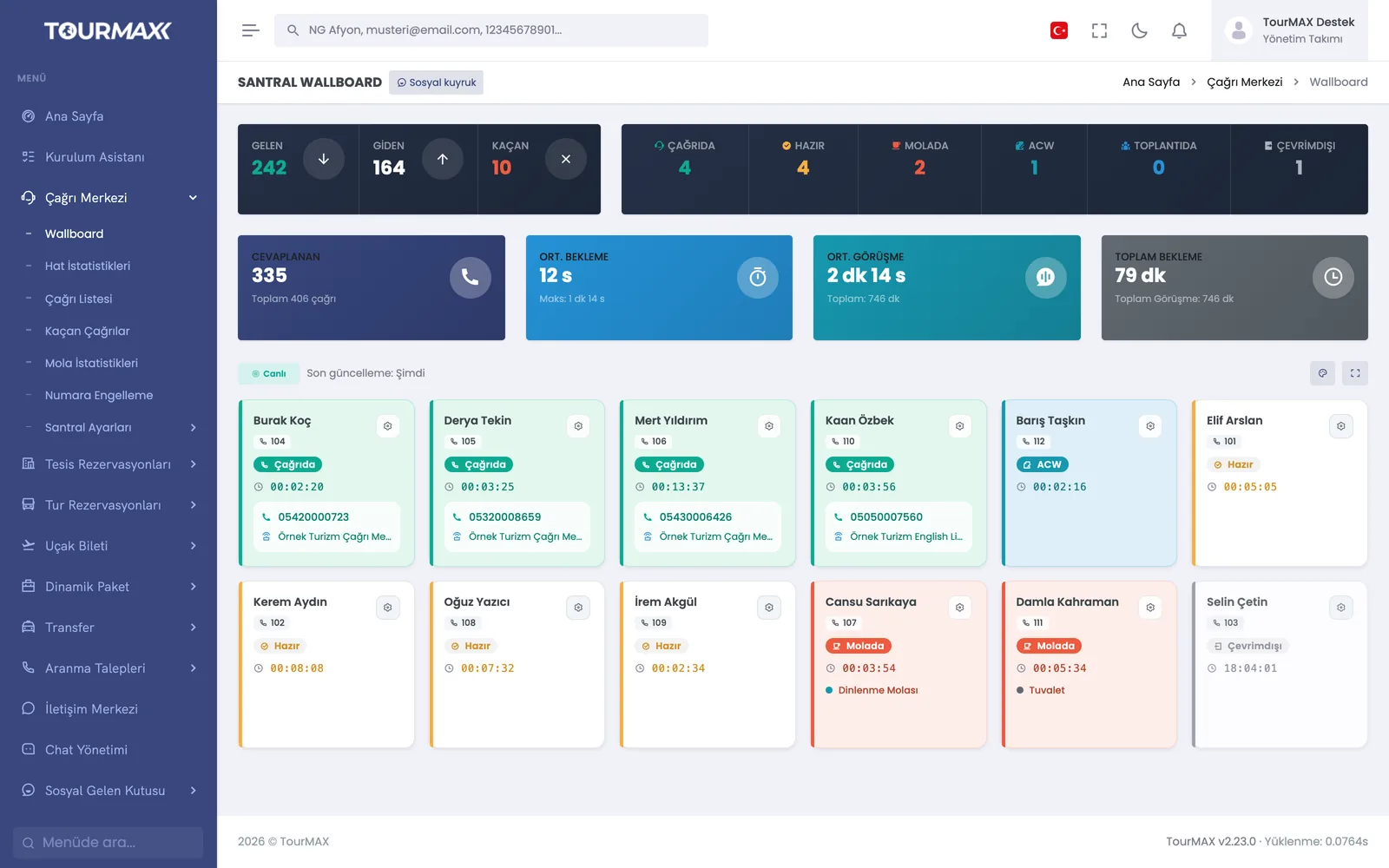
Live queue counters and agent tiles. An authorized manager can listen in on an ongoing call or whisper so that only the agent hears.
Calls are distributed to agents using one of 7 distribution strategies. Timeout, retry and wrap-up times, greeting announcements and hold music are configured per queue.
Missed calls are tracked with pending, calling, unreachable and contacted statuses. The auto-dialer calls missed callers back according to a weekly schedule.
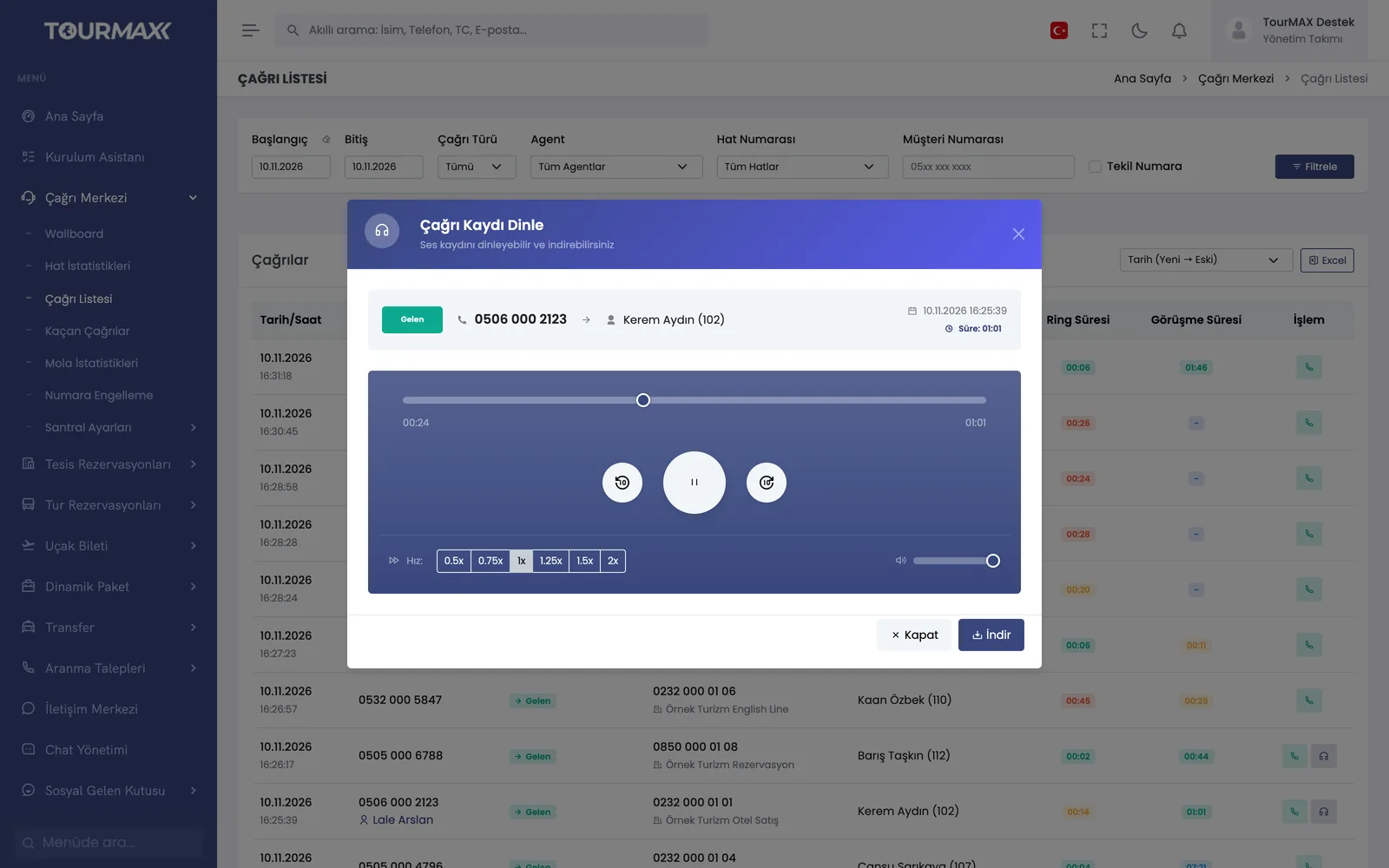
The call list can be filtered by type, agent, line and number. Recordings can be played at higher speed and downloaded, and a callback can be started from the same row. Listening permission is granted per user.
Answer rate, share of calls answered within 20 seconds, hourly distribution, queue and outbound line tables; Excel export.
Break types, daily and concurrent limits, manager approval. Escalating steps when time runs over: a warning, not-ready status and forced logout.
Inbound and outbound blocking with reason codes. Extension passwords, call pickup groups, call recording and voicemail; extensions are mapped to CRM users.
Step-by-step workflow
If the caller is a registered customer, their name and latest booking appear on screen; the customer card and a new booking open with one click.
A note, booking or callback request is created during the call, and after-call work time is tracked.
The manager monitors the wallboard and line statistics. Missed calls land on a list, and the auto dialer calls them back on a weekly schedule.
Call Center by plan
Items marked as add-ons can be added separately to lower plans; add-ons are billed monthly. You can find the plan comparison and add-on prices on the pricing page.