Property management module
Manage contracts, prices and allotments from the property card
The property’s description, rooms, contracts, promotions and dates closed to sale (stop sale) are gathered on the property card. A season price is entered once and copied to the other rooms, and availability is tracked on a 13-month calendar. The Price Comparison screen shows the same hotel’s price on 9 channels side by side with yours.
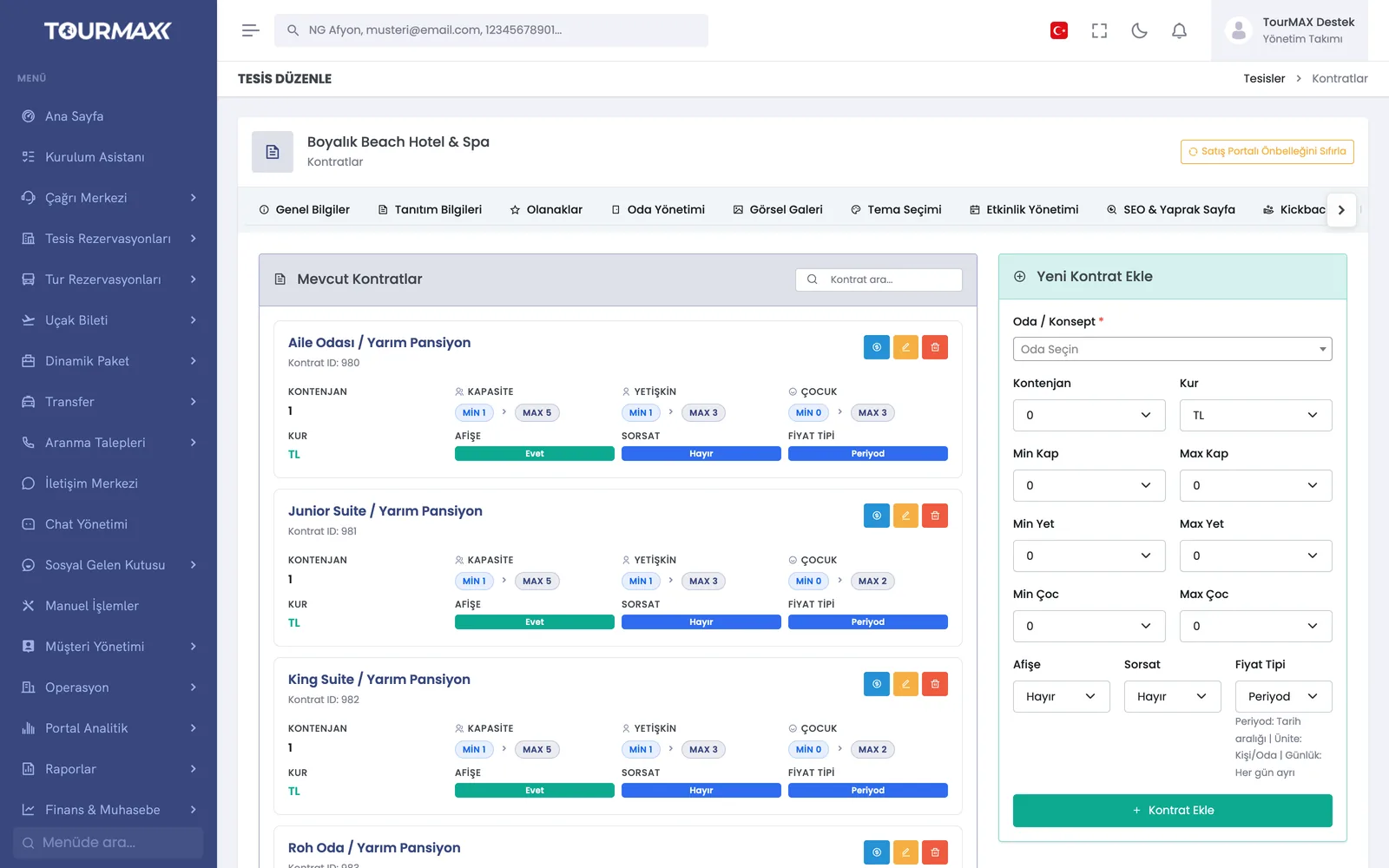 Real screensContracts tab: room-based allotment, capacity and price type, new contract form
Highlights of the Property Management module
Period, unit and daily pricing; allotment, capacity, 4 currencies, public and on-request options in the same contract.
Bulk price adding and deletion, price copying, past-date lock. A seasonal price is entered once and copied to the other rooms.
A discount matrix by number of adults, child order, age and percentage; an advanced editor for occupancy-based prices and fee types.
6 discount types; public, under-the-counter or hidden application; stackable discounts, periods and excluded days. 8 options for Stay & Pay (for example, stay 7 nights, pay for 6).
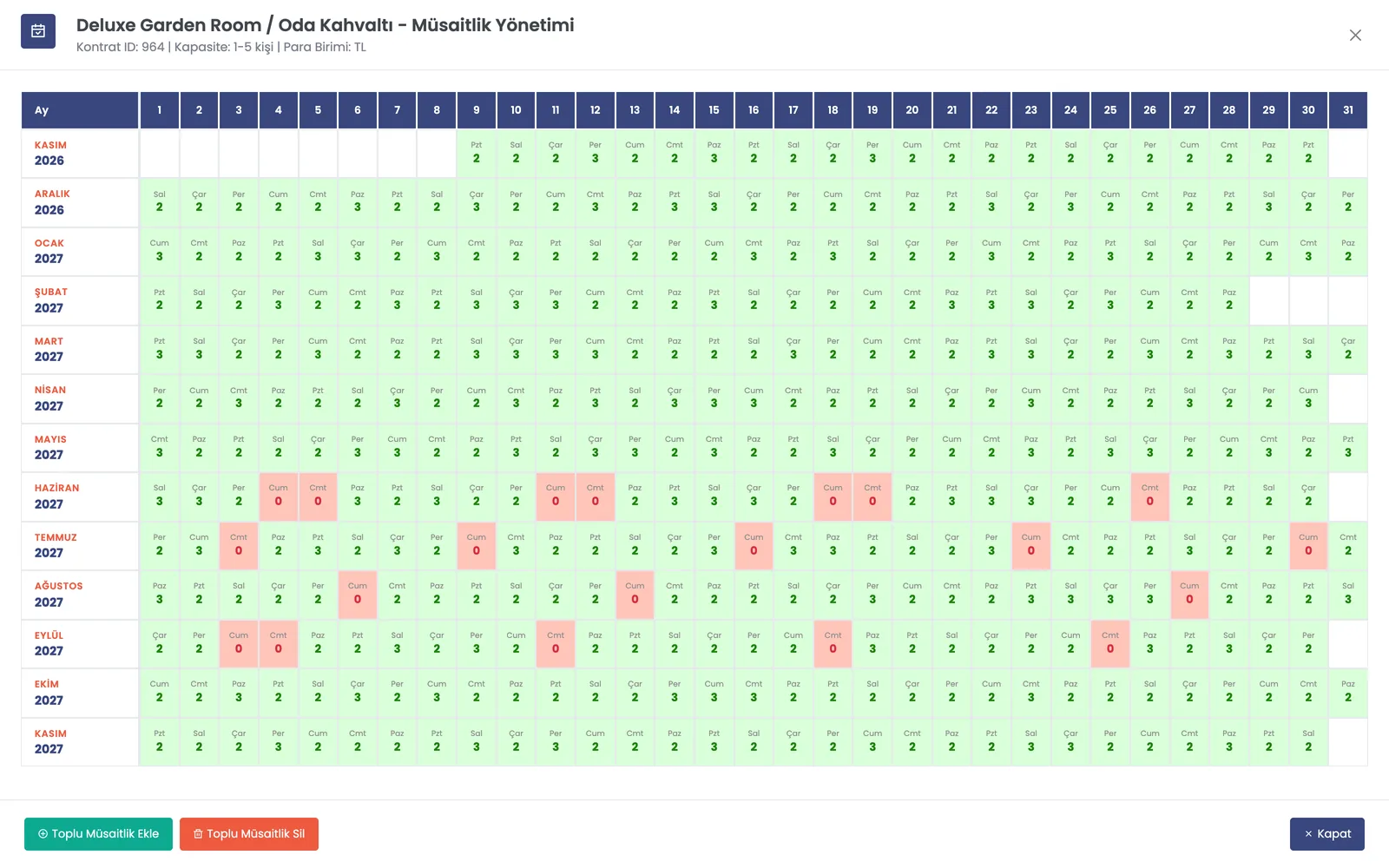
13-month availability calendar, bulk availability, room-based stop sale date ranges.
Separate price lines by market or nationality; the booking website shows the price for the visitor’s market.
Multilingual content import from Paximum; gallery SEO score and AI enhancement; WebP variants and video. A hotel mini site for each property.
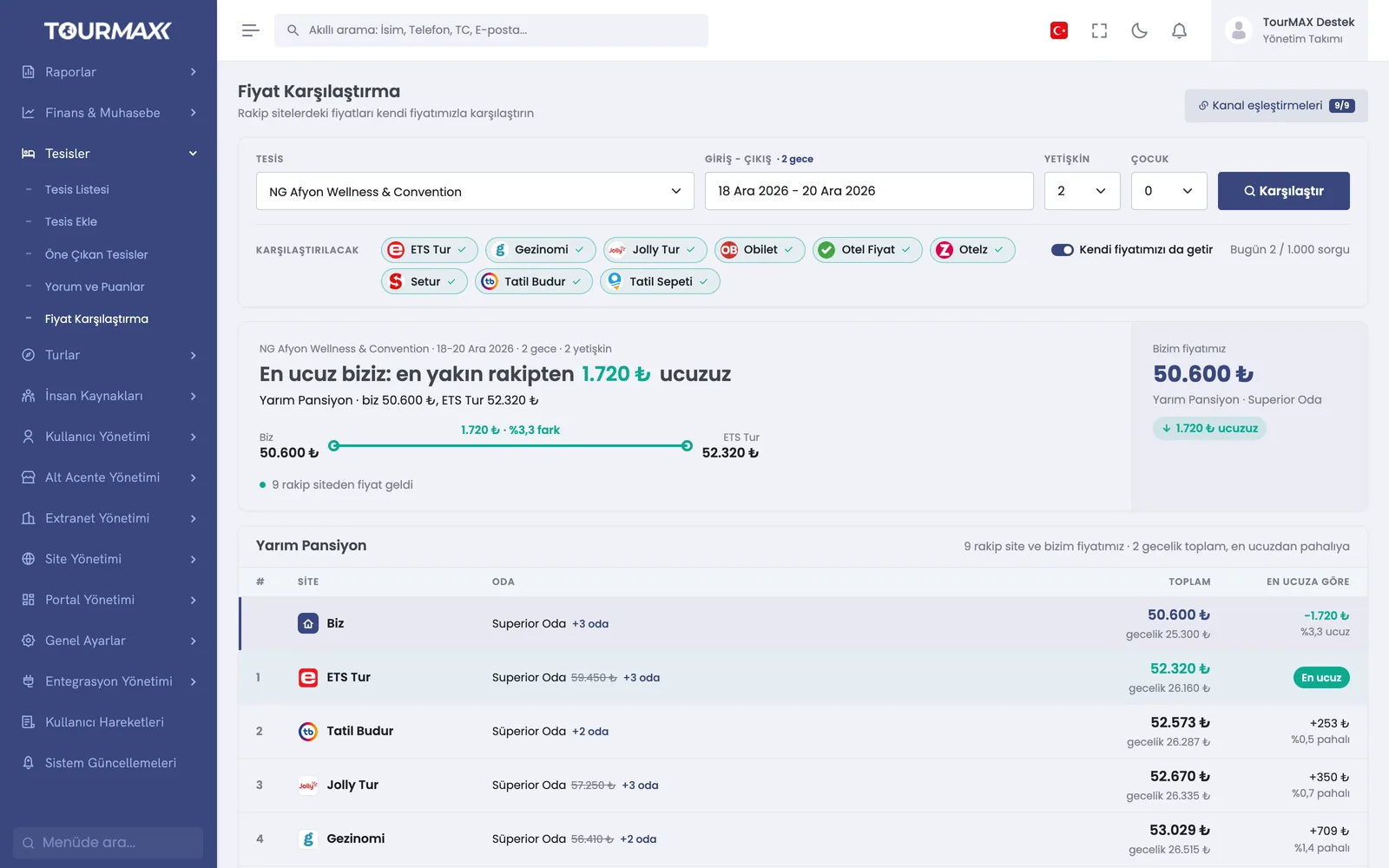
Prices on 9 channels for the property, dates and number of guests appear side by side with your own price. Channel mappings are verified; the number of queries is limited by a daily quota.
Step-by-step workflow
Open the property with a 4-step wizard; select the location from the worldwide catalog and add the rooms and gallery.
Enter the price type, allotment, child matrix and promotions; complete the season quickly with bulk tools.
Manage the availability calendar and stop sale dates; keep an eye on price comparison and update your prices.
Property Management by plan
Items marked as add-ons can be added separately to lower plans; add-ons are billed monthly. You can find the plan comparison and add-on prices on the pricing page.