B2B sales channels module
Let your sub-agencies sell through the portal and hotels enter their own prices
The sub-agency portal, property portal (extranet) and Partner API run inside your installation. Sub-agency commissions and net reconciliation are calculated by the system, and the prices and allotments hotels enter go through an approval queue. Your partners’ software connects live via the Partner API.
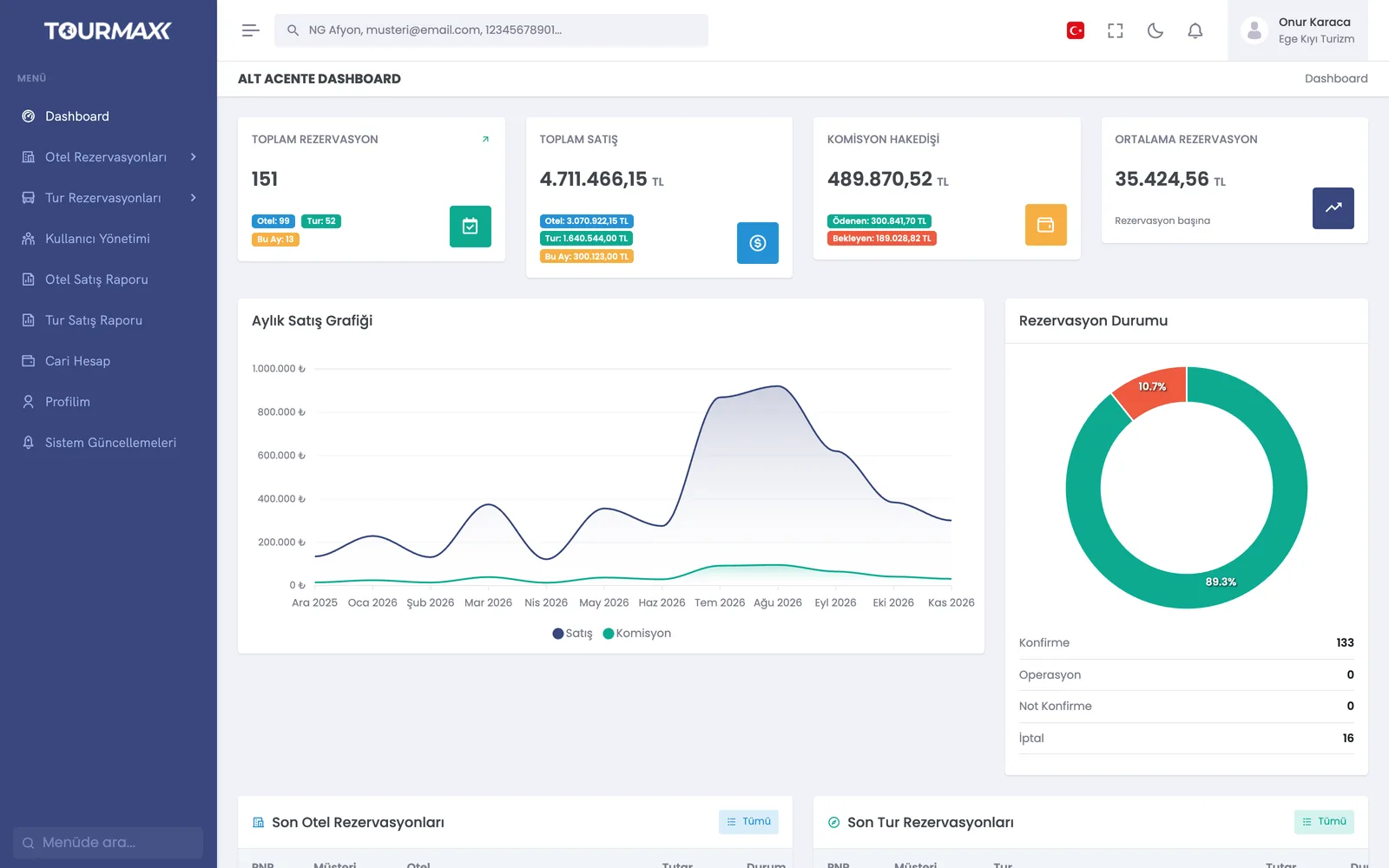 Real screensSub-agency portal: the sub-agency’s bookings, sales and commission earnings summary
Highlights of the B2B Sales Channels module
Commission or net working, gross or net payment model, general and product-based commission; permitted product categories and payment types; customer data policy.
From their own panel, sub-agencies view property fact sheets, price lists and galleries, and create bookings. They export sales reports to Excel and manage their current account and users.
Paid, cancelled and offset statuses; allocating a bulk bank transfer across bookings; commission closing and reconciliation reversal.
Hotels enter their own contracts, promotions and closed-out dates (stop sale), confirm or reject bookings, and get PDF and Excel reports.
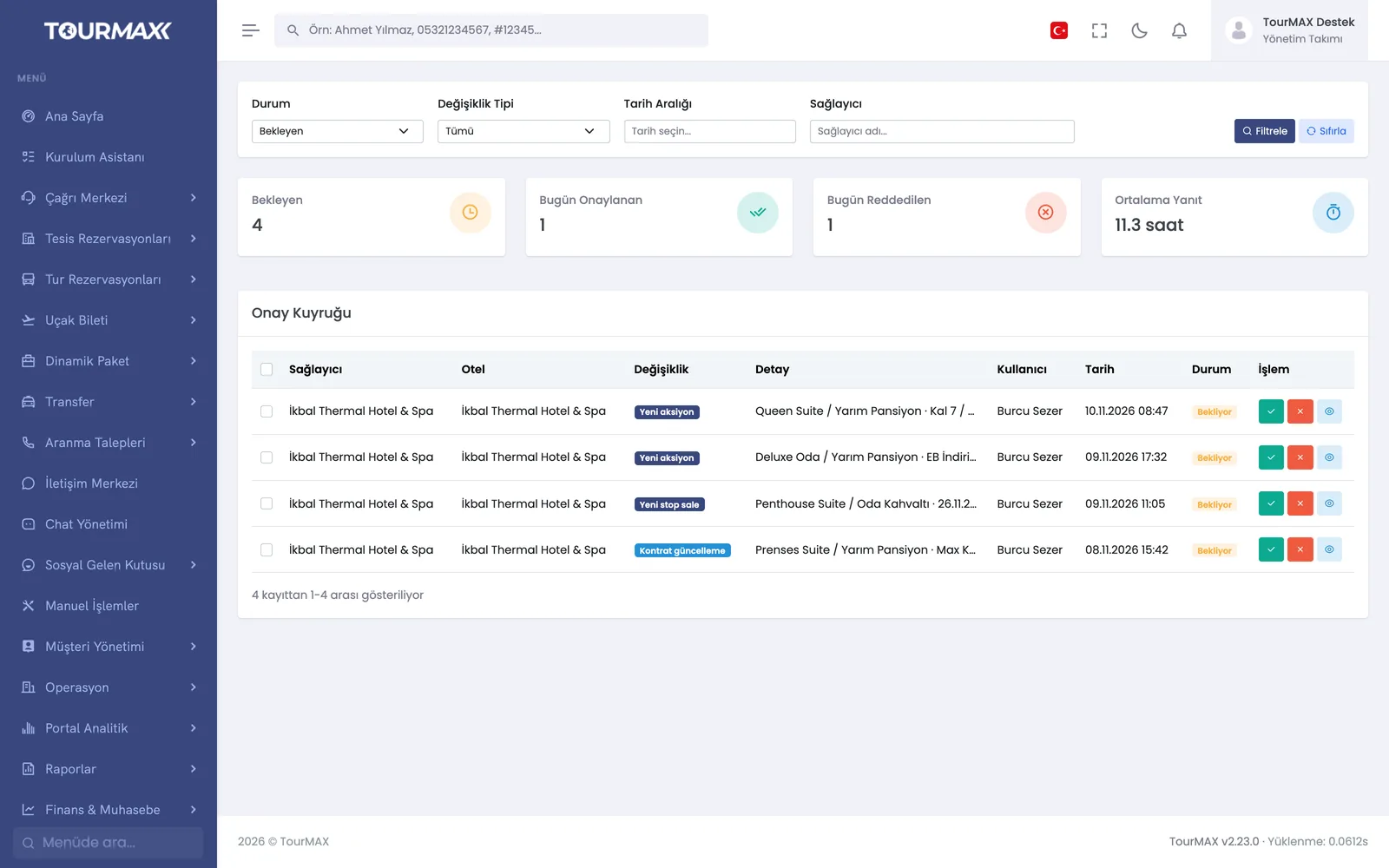
For hotels with the approval rule enabled, changes land in the approval queue with their old and new values. Changes can be approved or rejected in bulk, and the average response time is tracked. A permission matrix defines which fields each hotel can change.
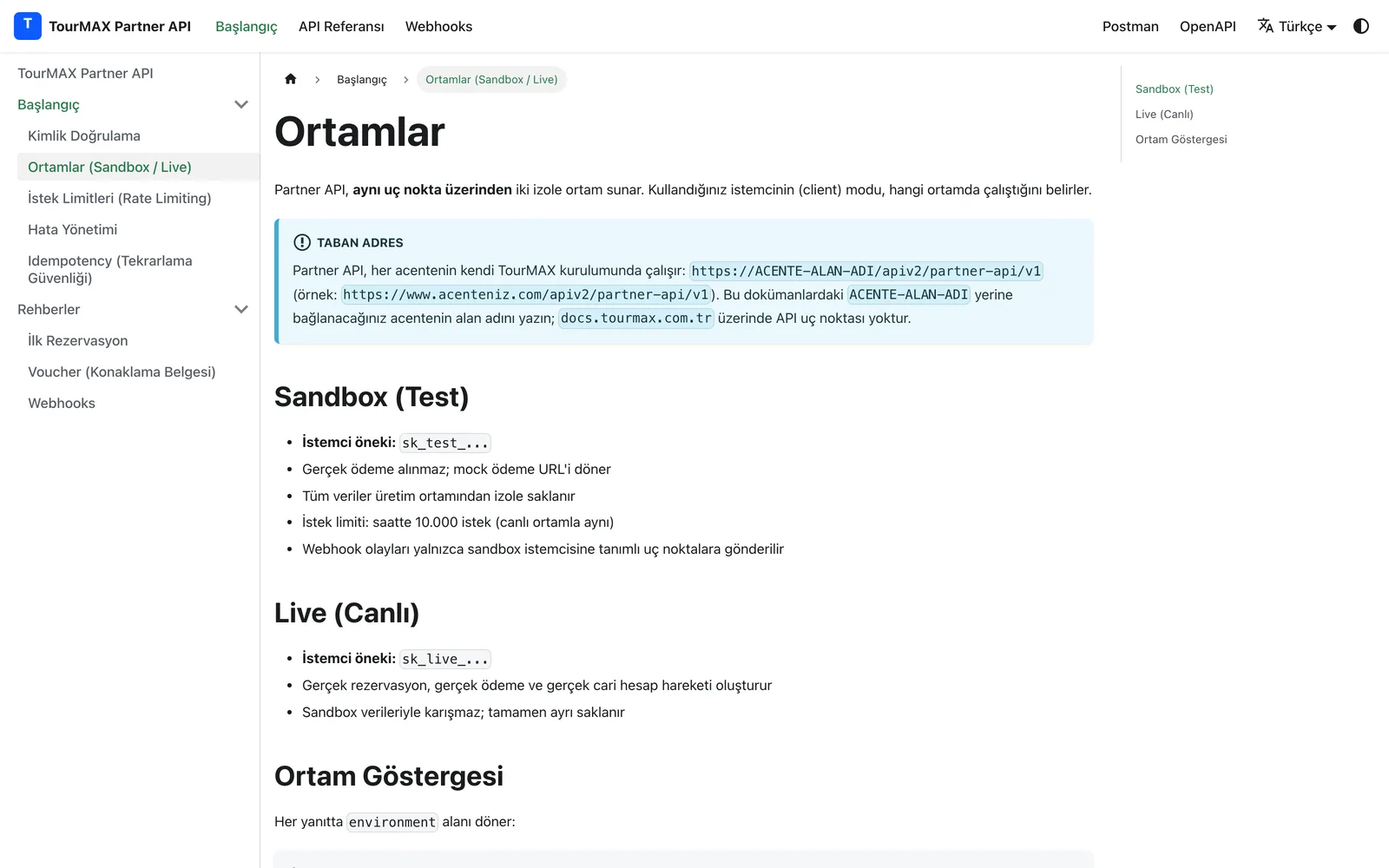
Your partner’s software searches hotels and tours, locks the offer for 15 minutes, makes the booking, retrieves the voucher and cancels. OAuth 2.0, 8 permission scopes, test (sandbox) and live environments, IP restriction, 10.000 requests per hour.
6 HMAC-signed webhook events with 6-step retries; OpenAPI specification and Postman collection.
Partner API cancellation request queue, request audit logs, key rotation and revocation.
Step-by-step workflow
The commission model, permitted products and users are defined.
Sub-agencies sell through the portal, hotels update prices and allotments via the extranet, and your partner’s software connects via API.
Commissions and net payments are calculated, and reconciliation is closed against payment records.
B2B Sales Channels by plan
Items marked as add-ons can be added separately to lower plans; add-ons are billed monthly. You can find the plan comparison and add-on prices on the pricing page.